
This setup allows you to connect TikTok Shop with Amazon FBA through GeekSeller. Orders placed on TikTok will be fulfilled by Amazon. Inventory quantities will sync automatically, and orders will be routed to FBA for fulfillment.
Step 1. Connect TikTok and Amazon in GeekSeller
- Go to the GeekSeller Integrations tab.
- Connect Amazon and TikTok to GeekSeller.
Step 2. Configure Warehouse in TikTok Shop
In TikTok Shop:
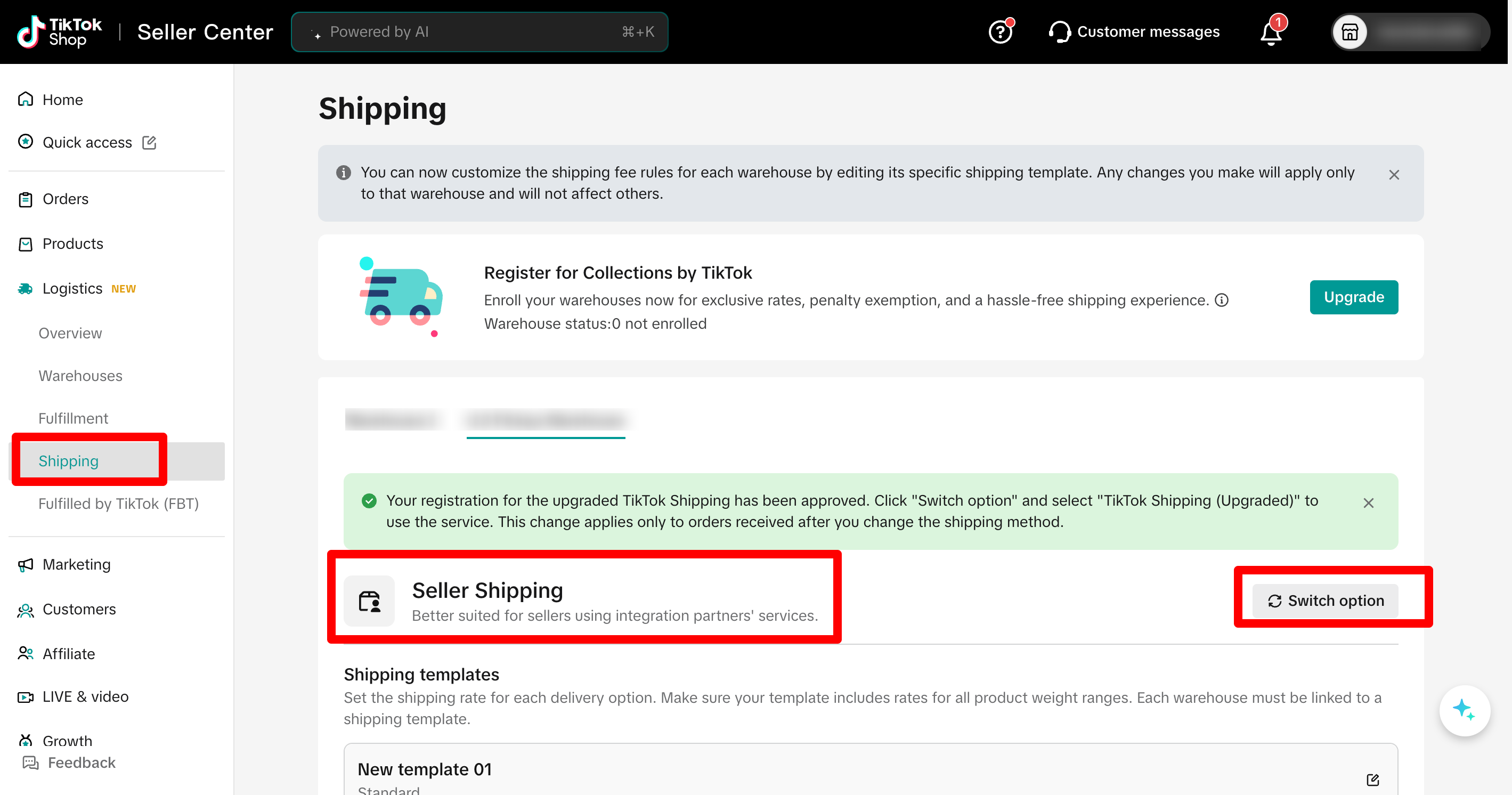
- Create a new warehouse. For example, name it Amazon FBA.
- Set Shipping Type to Seller Shipping. This step is critical. Seller Shipping ensures you receive full PII data, including customer name and address. This data is required to pass the order to Amazon FBA for fulfillment. Other shipping types may not provide the necessary customer information.Important: see this guide for details and detailed steps.
Step 3. Connect Warehouses in GeekSeller
Now connect everything inside GeekSeller:
- Go to the Inventory tab > Manage Warehouses.
- Your FBA warehouse should be automatically created during the Walmart connection. However, if you do not see it, you can create it manually.
- Connect this GeekSeller warehouse to Amazon FBA.
- Map your TikTok warehouse to this GeekSeller warehouse. Click on Save Connection Data.
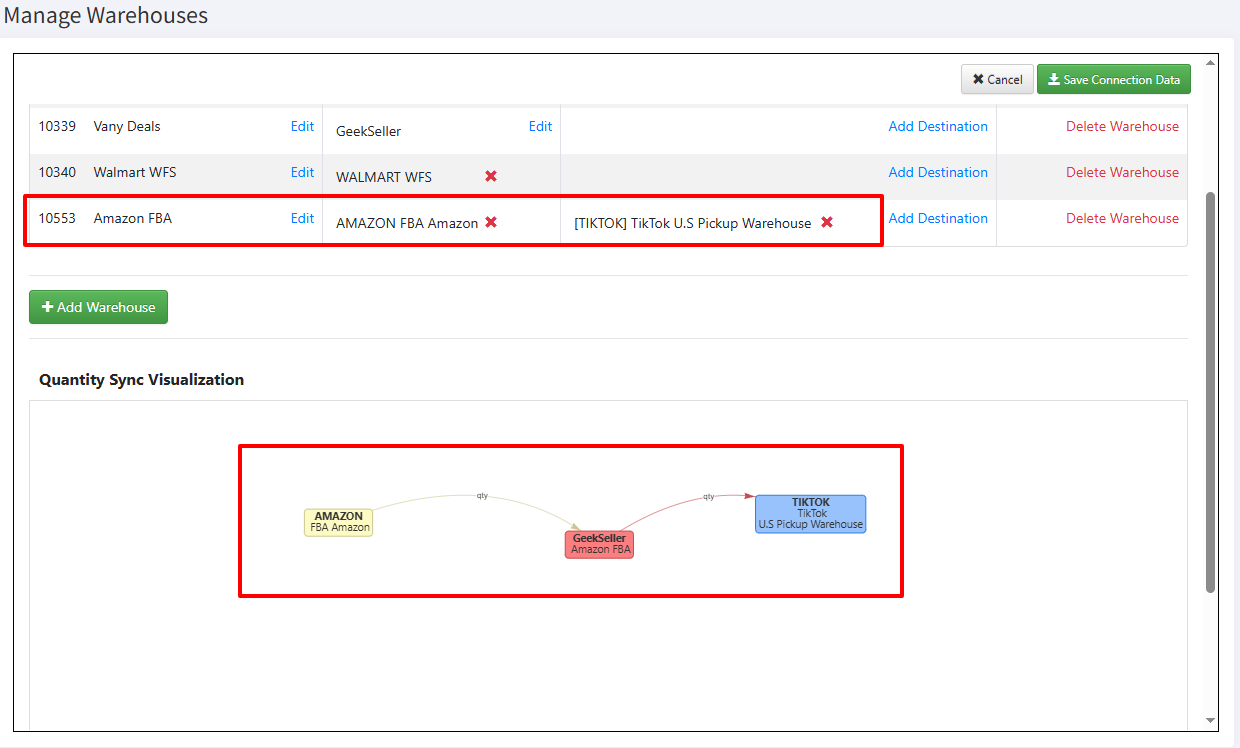
After this is done, GeekSeller will start synchronizing WFS quantities to TikTok.
Important: If you have more than one MCF sales channel that you would like to connect to TikTok, please contact our support team.
Step 4. Activate TikTok Orders in Amazon MCF
- Go to Tools > Amazon MCF.
- Enable TikTok orders for fulfillment.
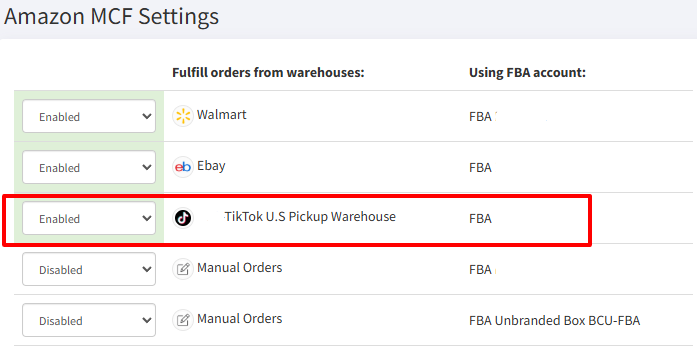
After completing these steps, TikTok orders will automatically flow through GeekSeller and be fulfilled by Amazon FBA, with inventory and tracking properly synchronized.
If you need any help with the integration or automation setup, please contact our support team.