
At the moment, we support the U.S. TikTok Shop marketplace, but we’re planning to add support for other regions soon.
If you don’t already have a TikTok Shop account, visit seller.tiktok.com and create one. Follow the steps to register your business and complete the verification process.
Currently, the GeekSeller TikTok Shop integration supports inventory and order management only. Product creation is not available yet but will be added in the near future.
We also support Seller Shipping and TikTok Shipping, so you can print the labels provided by TikTok Shipping within the GeekSellr interface.
-
Generate a shipping label using our interface
-
Insert the tracking number manually via GeekSeller or print the provided by TikTok shipping labels
-
Or, use Walmart WFS or Amazon FBA for automatic fulfillment (this is the most popular option among our users)
Step 1: Connect Your TikTok Shop to GeekSeller
-
Log in to your GeekSeller account and go to the Integrations section.
-
Find TikTok Shop.
-
Click Authorise and follow the steps.
Step 2: Select Shipping Option
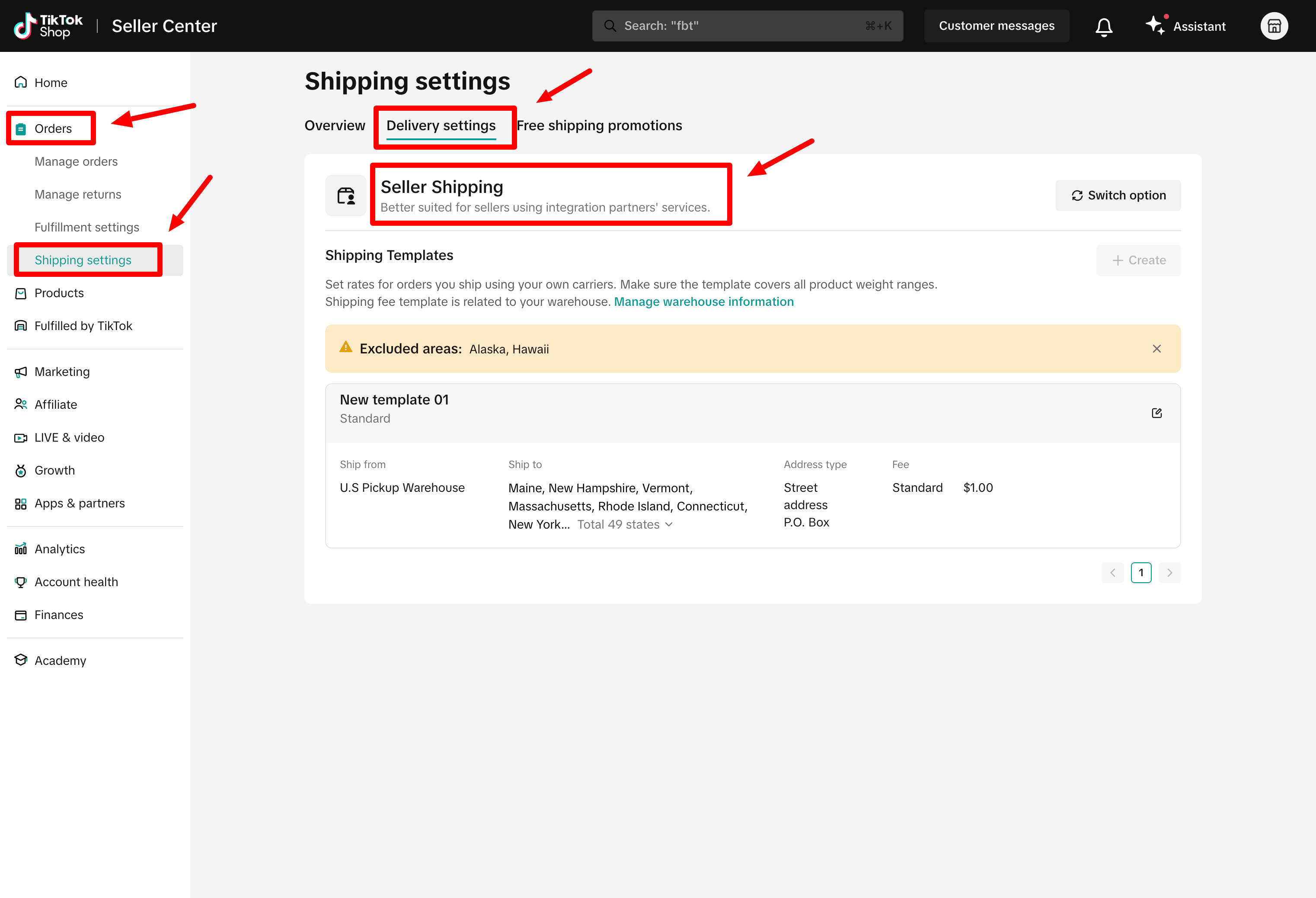
Go to Orders > Shipping Settings > Delivery Settings and make sure the Seller Shipping option is selected if you want to provide your own labels (or ship with 3PL), or select TikTok Shipping to use TikTok-provided labels.
Step 3: Ensure You Have Proper SKUs
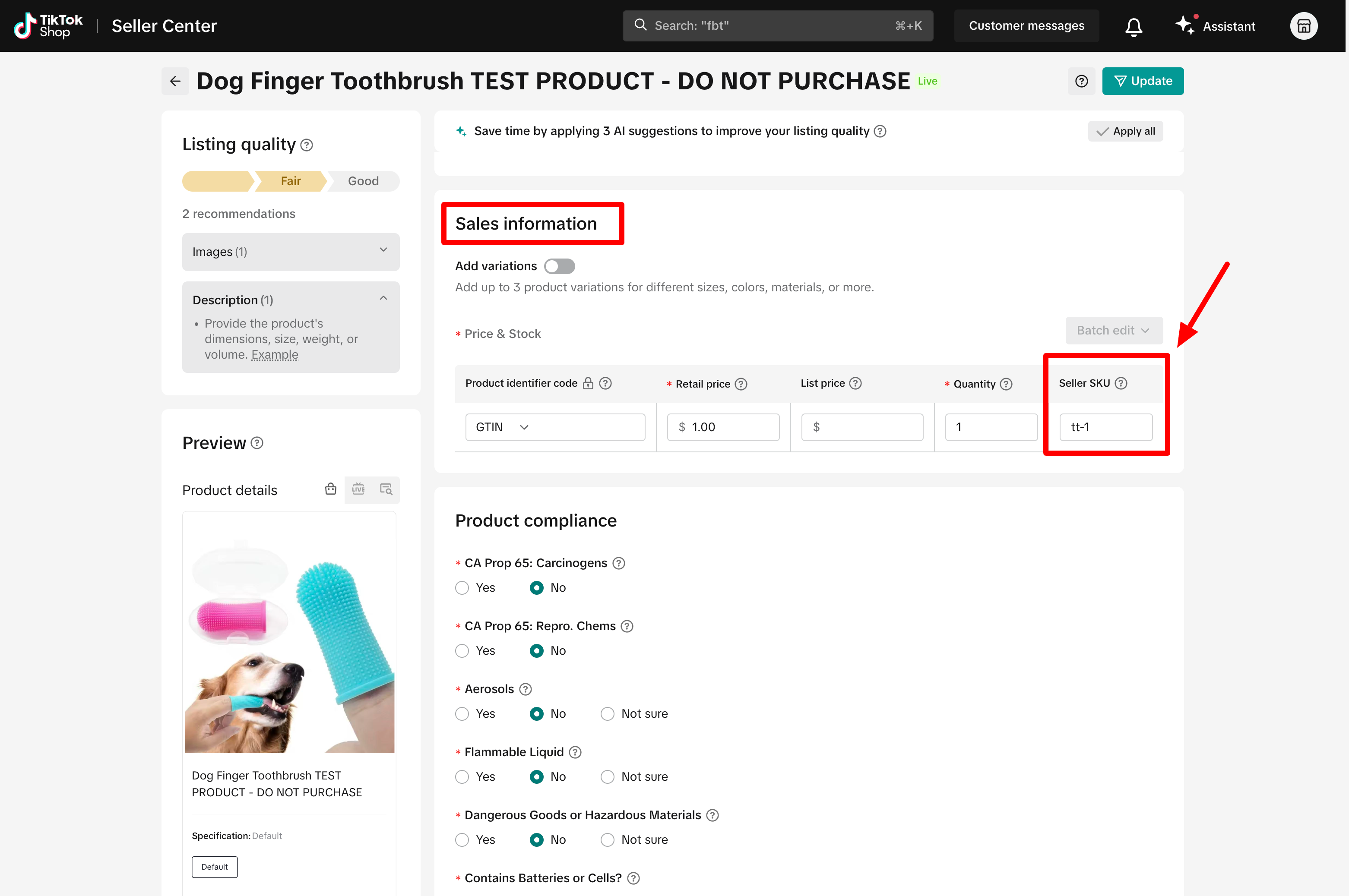
Go to your TikTok Shop Seller Center > Manage Products. Edit your TikTok listings, go to the Sales Information section, and make sure the SKU field has a unique value.
Also, ensure these products exist in the GeekSeller > Inventory section with matching SKUs.
Order Delay
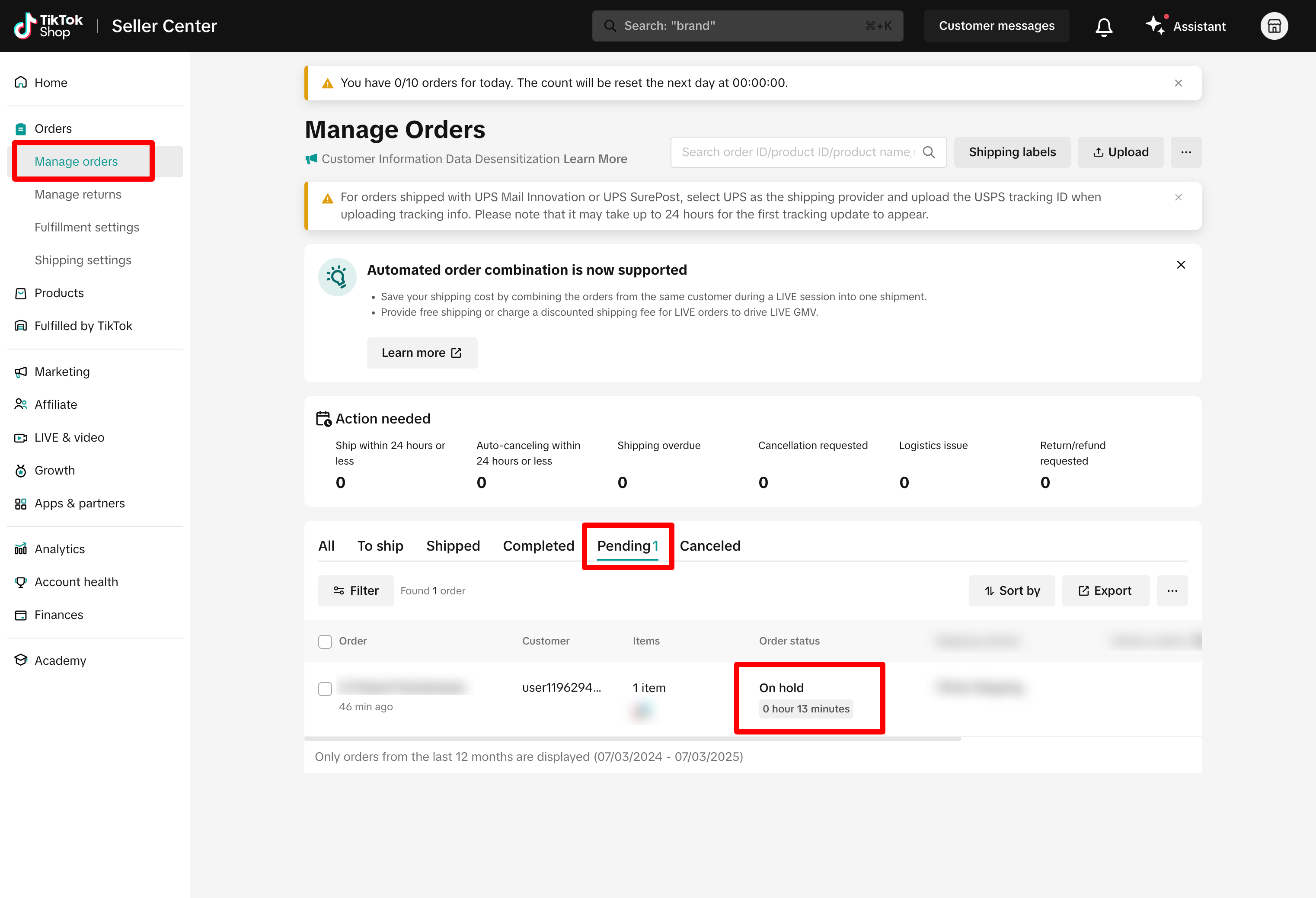
TikTok places new orders on hold for 1 hour to allow buyers to cancel and to perform a fraud check.
During this time, orders appear in the Pending section, and you cannot fulfill them. GeekSeller will not download these orders until the hold is lifted.
Setting Up Automatic Fulfillment for TikTok Shop Orders Using Walmart WFS (Multichannel Solution) or Amazon FBA (MCF)
- If you want to use Walmart WFS Multichannel to fulfill TikTok orders, you need to use Seller Shipping in your TikTok warehouse, then create a TikTok channel in your Walmart MCF selections that uses the Package B option. See details here. This is needed to ensure Walmart will not ship orders via USPS, as TikTok does not allow it.
- If you want to use Amazon MCF, follow this official guide before you do the steps below.
Step 1: Set Up Quantity Synchronization
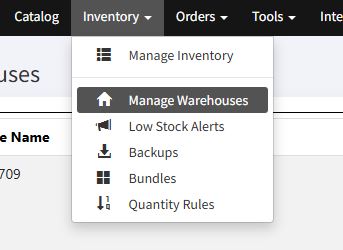
To activate the automatic quantity synchronization from Amazon FBA or Walmart WFS (or both) to your TikTok account, navigate to “Inventory” in your GeekSeller panel and select “Manage Warehouses” from the drop-down menu:
Add TikTok “Destination” to the FBA (for Amazon FBA integration) or Walmart WFS (for the Walmart WFS integration). You might see more than one TikTok option in the “Destination” drop-down menu, depending on how many shipment locations are available in your TikTok account. Make sure to “Save Connection Data” after you add the destination:

Step 2: Enable Order Transfer to FBA or WFS
Once the quantity synchronization is enabled, navigate to Tools –> MCS Settings (for Walmart WFS integration) or MCF Settings (for Amazon FBA integration) and enable it for your TikTok account:
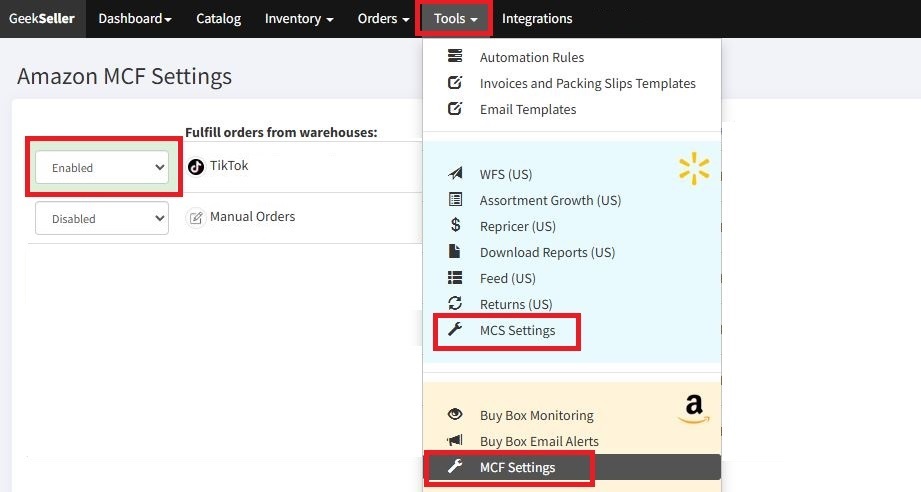
If your TikTok account is not on the list, it means the quantity synchronization from FBA/WFS to TikTok was not enabled.
Step 3: Order Cancelations Settings
If you automate fulfillment with Amazon and Walmart, we suggest setting up an automation rule to keep your orders on hold for 6 hours before they are released to fulfillment. This helps reduce the risk of shipping orders that customers cancel shortly after placing them. At the same time, on TikTok Shop, you should set your cancellation policy to 5 hours under Orders > Return Settings. With this setup, the cancellation window is shorter than the hold period, so canceled orders are detected before they are sent to fulfillment. See this post for full setup details, or contact our support team, and we can set it up for you.