How to set up order cancellation protection with an order hold window
When you automate order fulfillment with Amazon or Walmart, cancellations become more important. If orders are sent to fulfillment immediately, there is a risk that a customer cancels after the order has already been transmitted.
Some sellers accept this risk, depending on their cancellation rate. However, the safer approach is to use an order hold window before releasing orders to fulfillment.
Why use an order hold window
- We fetch and check order updates every 10 minutes. This allows us to detect cancellations before orders are released.
- We do not rely on webhooks because they are not always reliable at scale. Instead, we continuously check for updates to make sure the order status is correct before sending it to Amazon or Walmart.
- By keeping orders on hold for a defined period, you reduce the chance of shipping canceled orders.
Recommended hold time
We recommend setting an order hold window of around 6 hours (by using our Automation Rules tool), especially if you automate fulfillment with Amazon or Walmart. You can choose a shorter period such as 1 hour, but 6 hours provides a safer buffer in most cases. After the selected time passes, the order is automatically released and sent for fulfillment.
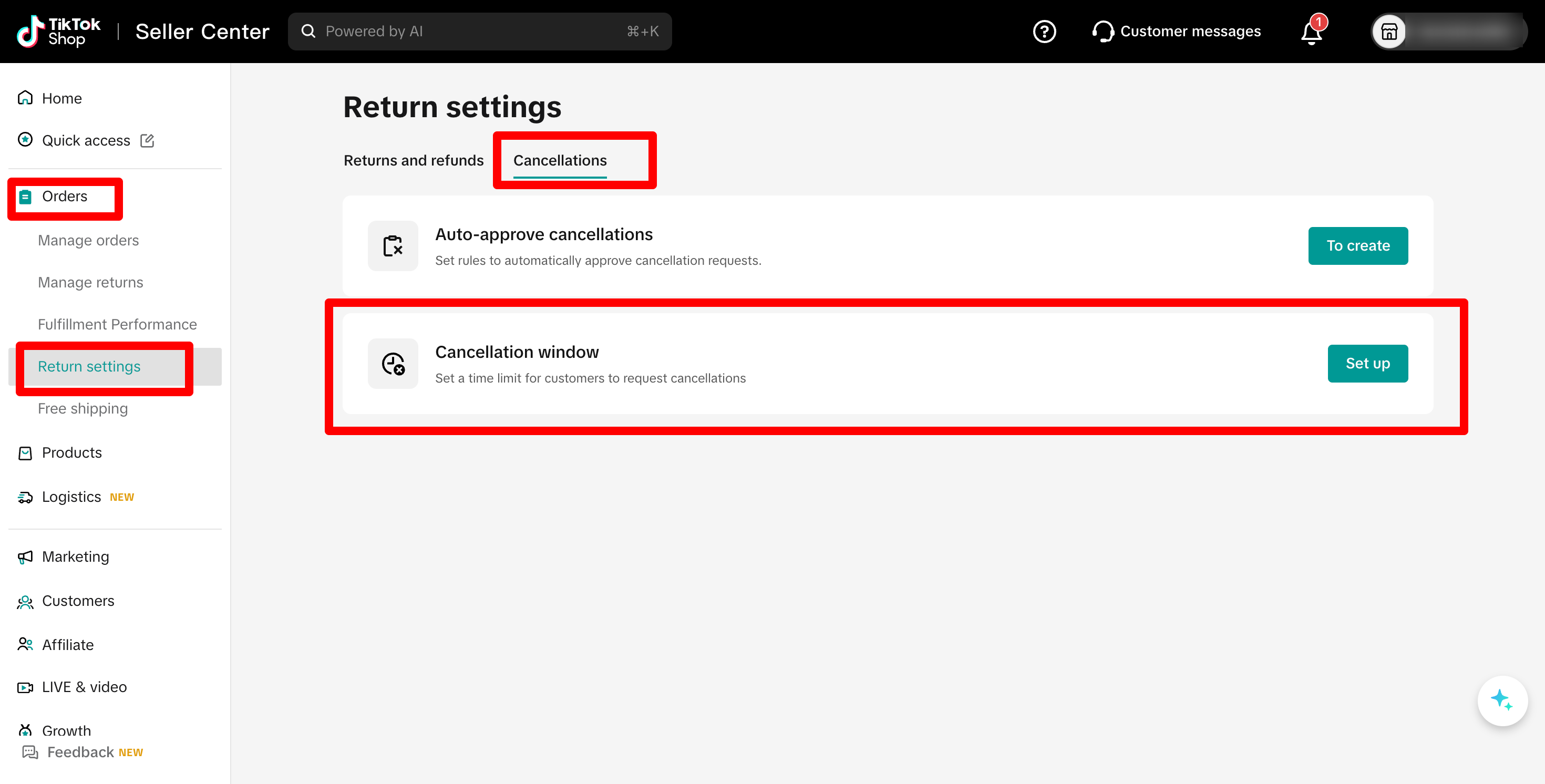
TikTok cancellation window settings
If you sell on TikTok Shop, you should review your cancellation window settings. TikTok allows you to define how long customers can cancel an order. The official article is available here. The cancellation setting can be found under: Orders > Return Settings.
If you set the TikTok cancellation window to 5 hours and configure a 6 hour order hold in the system, orders will remain on hold longer than the cancellation window. In this setup, you should not see cancellations after the order is released to fulfillment.