
This setup allows you to connect TikTok Shop with Walmart WFS through GeekSeller. Orders placed on TikTok will be fulfilled by Walmart Fulfillment Services. Inventory quantities will sync automatically, and orders will be routed to WFS for fulfillment.
Step 1. Connect TikTok and Walmart in GeekSeller
- Make sure both Walmart and TikTok are connected to your GeekSeller account.
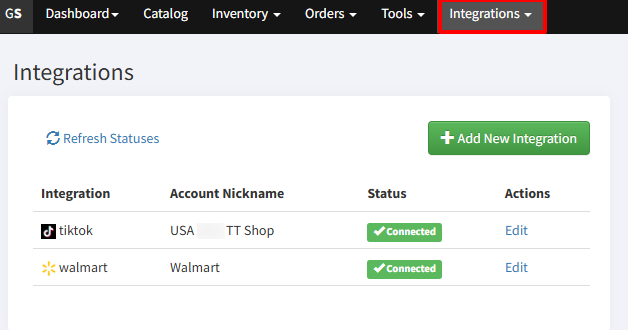
- In the GeekSeller Integrations tab, open your Walmart settings.
- Enable WFS as an active fulfillment method.
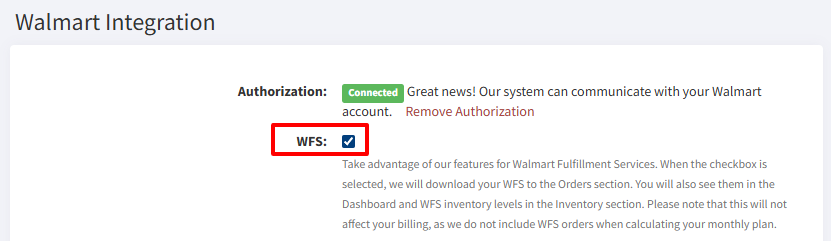
Step 2. Create a Sales Channel in Walmart Seller Center
- Go to Walmart Seller Center.
- Open the Multichannel Solutions section.
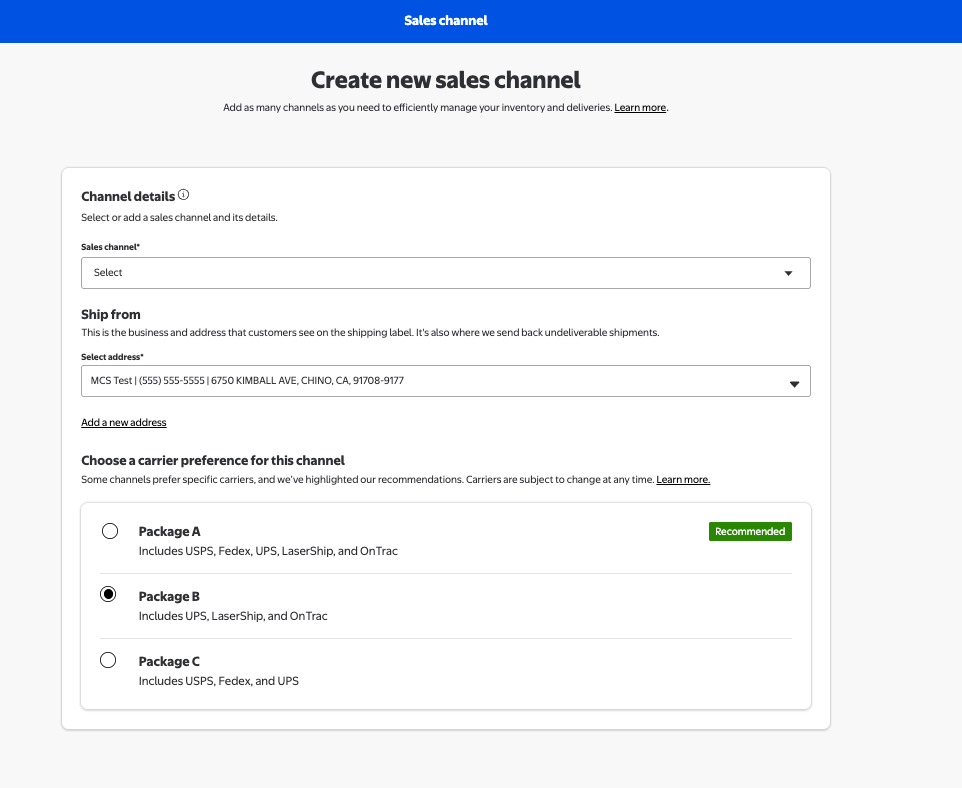
- Create a new sales channel, for example, name it TikTok.
Carrier setup requirement
When configuring this channel, make sure it uses Preferred Carrier Package B. TikTok does not allow shipping with USPS unless labels are generated directly from TikTok. Since WFS will generate labels, USPS must not be listed in this package type.
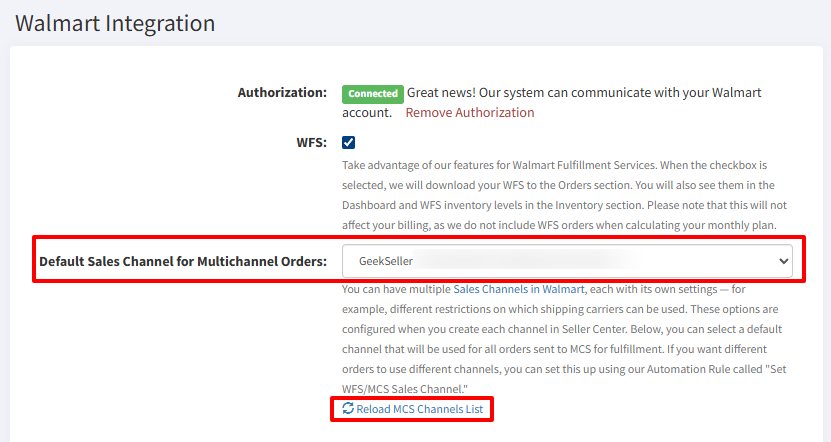
- You can also create another sales channel on your WFS with different carrier preference settings for orders from other channels. You can select it as a default one in your GeekSeller Walmart settings. If you cannot see the new channel in the drop-down, use Reload MCS Channels List.
Step 3. Configure Warehouse in TikTok Shop
In TikTok Shop:
- Create a new warehouse. For example, name it Walmart WFS.
- You can use the address of one of the Walmart fulfillment centers, for example: 6720 Kimball Ave, Chino, CA 91708
- Set Shipping Type to Seller Shipping. This step is critical. Seller Shipping ensures you receive full PII data, including customer name and address. This data is required to pass the order to Walmart WFS for fulfillment. Other shipping types may not provide the necessary customer information.
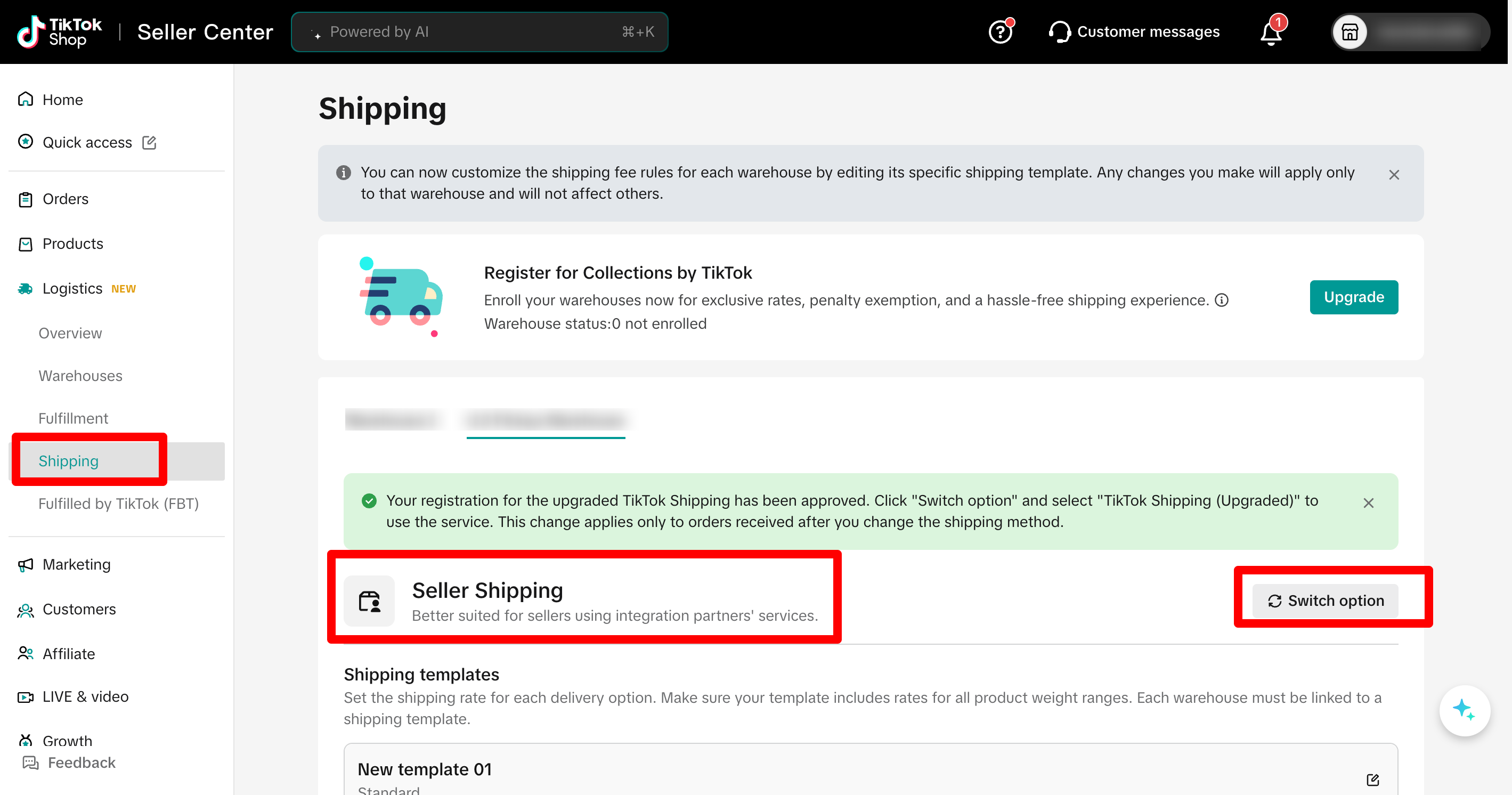
Step 4. Connect Warehouses in GeekSeller
Now connect everything inside GeekSeller:
- Go to the Inventory tab > Manage Warehouses.
- Your WFS warehouse should be automatically created during the Walmart connection. However, if you do not see it, you can create it manually.
- Connect this GeekSeller warehouse to Walmart WFS.
- Map your TikTok warehouse to this GeekSeller warehouse. Click on Save Connection Data.
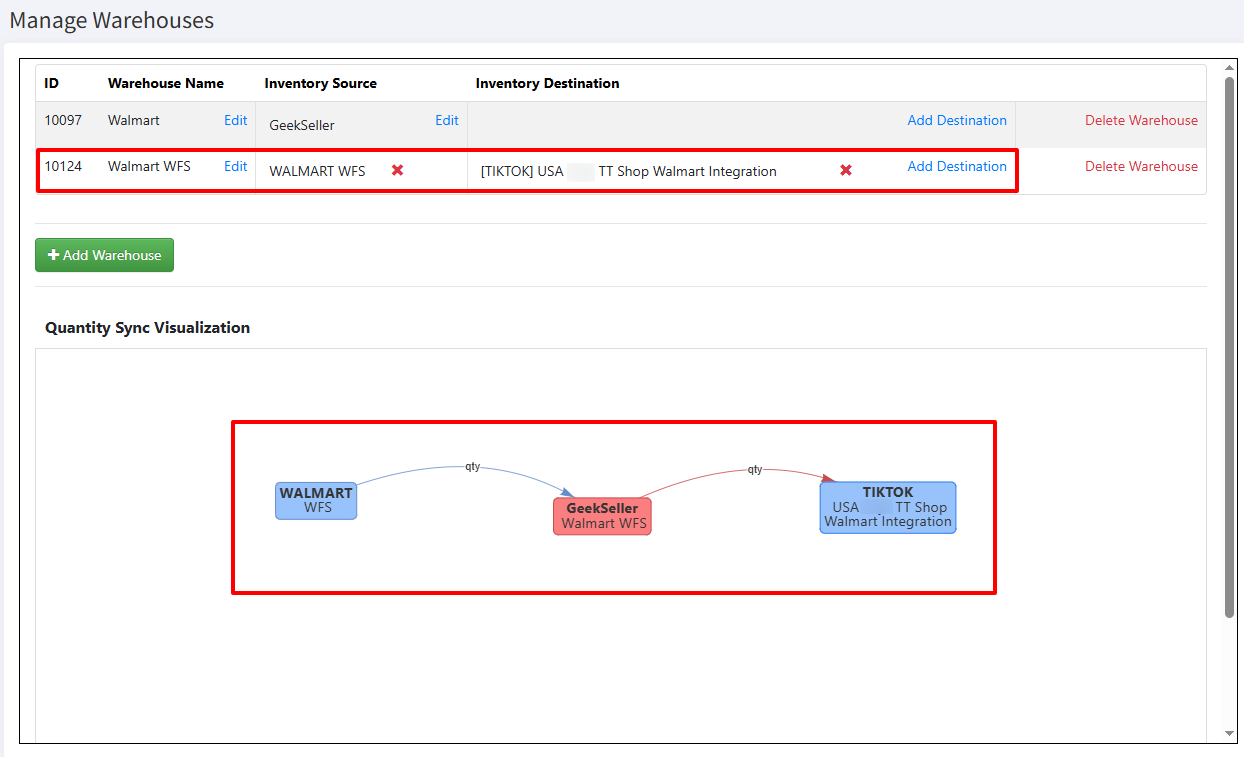
After this is done, GeekSeller will start synchronizing WFS quantities to TikTok.
Step 5. Configure Automation
To set up the assignment of the correct Walmart sales channel (without USPS carrier) for TikTok orders, you need to use Automations.
- Go to Tools > Automation Rules.
- Create a rule to assign TikTok orders to the correct sales channel when fulfilled by WFS.
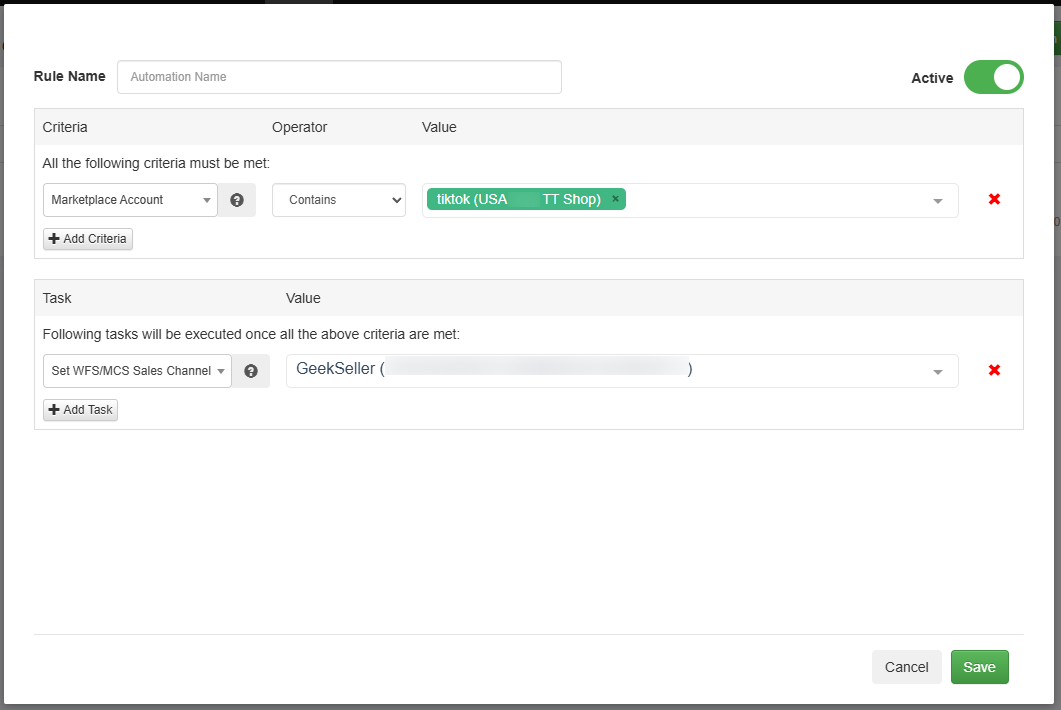
Step 6. Activate TikTok Orders in Walmart MCS
- Go to Tools > Walmart MCS.
- Enable TikTok orders for fulfillment.
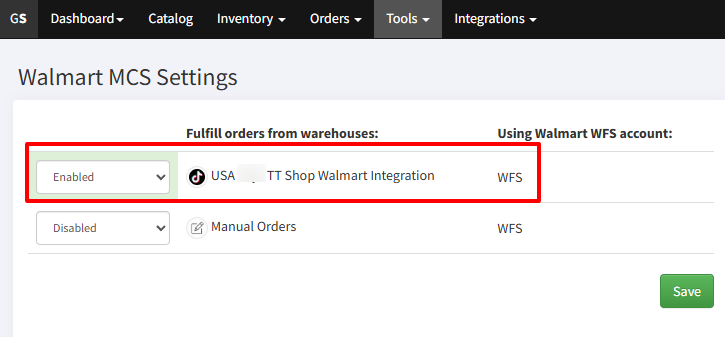
After completing these steps, TikTok orders will automatically flow through GeekSeller and be fulfilled by Walmart WFS, with inventory and tracking properly synchronized.
If you need any help with the integration or automation setup, please contact our support team.