
Rithum is a platform used by vendors to connect with major retailers such as Lowe’s, Home Depot, Macy’s, Academy Sports + Outdoors, Zulily, DICK’S Sporting Goods, and many others. By integrating Rithum with GeekSeller, you can manage orders, inventory, shipments, invoices, and other marketplace operations from a single platform.
Follow the steps below to complete the integration.
Step 1: Contact Rithum
GeekSeller does not currently have a native integration listed within Rithum. Instead, the connection is configured as a custom SFTP/XML integration, just as it would be for an in-house ERP or order management system.
Contact your Rithum representative and let them know that you will be integrating with a third-party system. Request that your connection be switched to SFTP using XML files.
Feel free to mention that you will be integrating with GeekSeller. We work with the Rithum team on a regular basis, and they are familiar with this type of integration.
Step 2: Approve the Onboarding
Rithum will reply with an email outlining the onboarding process and any applicable onboarding fees.
Once you approve the onboarding, Rithum will send you instructions for the activation process and switch your connection to SFTP.
Step 3: Configure the Data Exchange
During the activation process, you will be asked which data should be exchanged.
Select all available data types to be exchanged via XML files over SFTP. This ensures GeekSeller can fully automate your operations, including inventory updates, order management, shipment confirmations, invoices, acknowledgments, and any other supported document types.
Step 4: Send Your SFTP Credentials
After the setup is complete, Rithum will provide your SFTP server credentials.
Please forward these credentials to the GeekSeller Support team.
Step 5: Invite GeekSeller to Your Rithum Account
Ask the GeekSeller Support team for the email address to invite to your Rithum account.
Once you receive the email address, send the invitation from within your Rithum account. This gives our team the necessary access to complete the integration and perform testing.
Please note that we need access to your Sandbox account, not your live account. You can grant us access once Rithum provides you with Sandbox access.
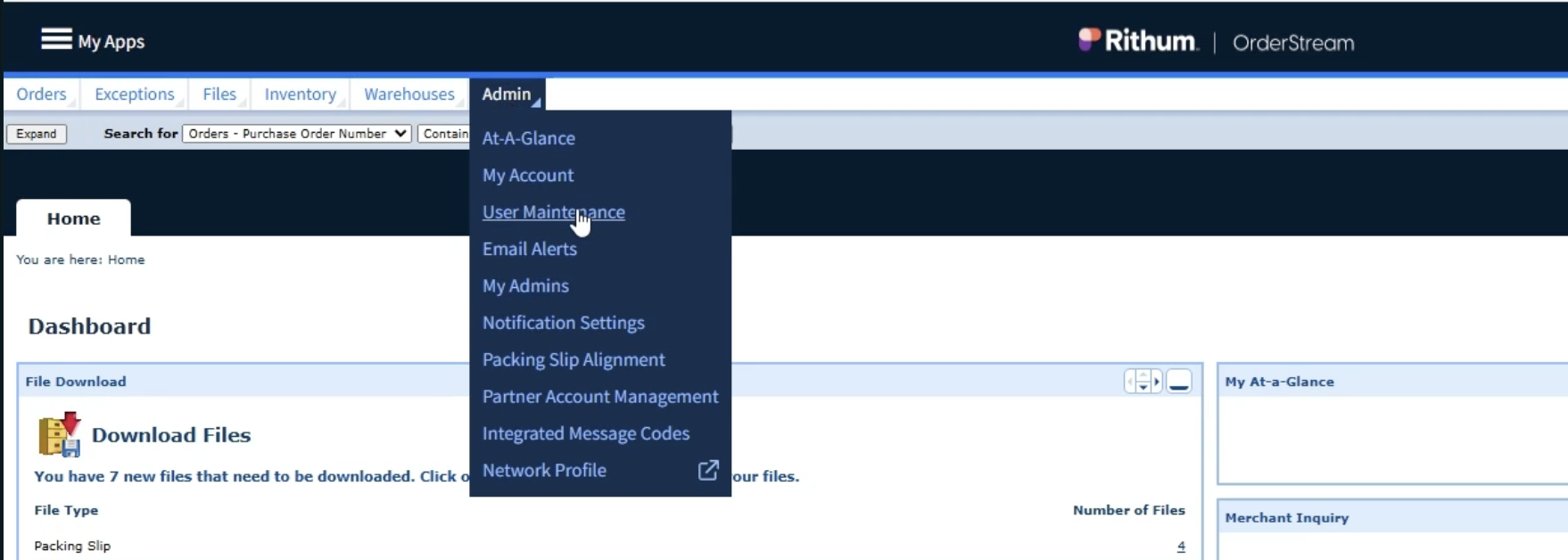
In OrderStream, go to Admin > User Maintenance.
Step 6: Integration and Testing
Once we have received your SFTP credentials and the account invitation, our team will configure the integration between Rithum and GeekSeller.
The setup and testing process typically takes a few business days. After successful testing, the connection will be activated and your Rithum account will begin exchanging data with GeekSeller automatically.