
If your Walmart DSV connection has expired, you will need to reauthorize it. Walmart Supplier One requires DSV app connections to be renewed once per year.
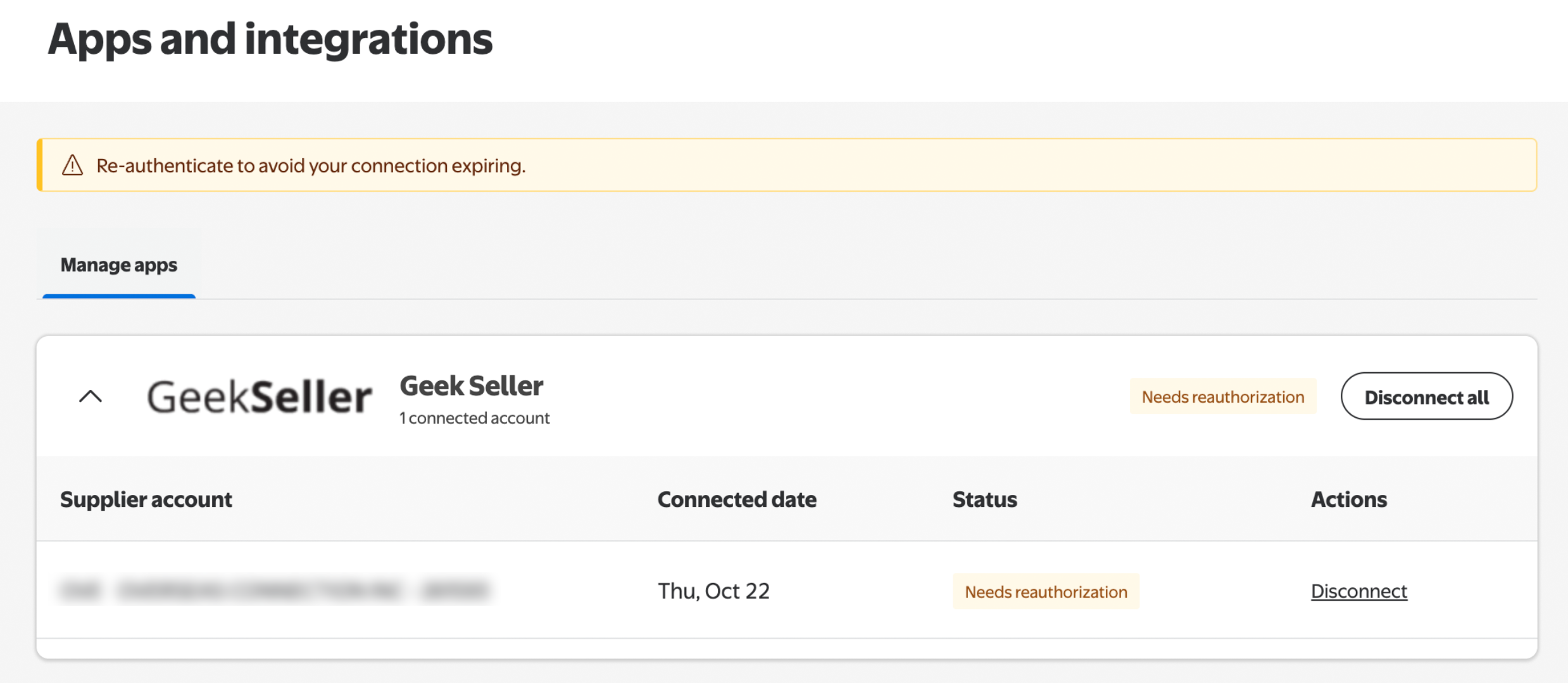
When your connection is about to expire, you will see a message similar to the one below in Supplier One > Apps and Integrations.
How to Renew the Connection
- Log in to your GeekSeller account.
- Go to Settings > Integrations.
- Find your Walmart DSV integration and click Edit.
- Click Remove Authorization.

- Once the connection is removed, click Authorize.

- Follow the prompts to sign in to Supplier One and grant GeekSeller access again.
After authorization is complete, your DSV integration will be active for another year.
How to Verify the Renewal
Return to Supplier One > Apps and Integrations.
The “Needs reauthorization” message should no longer be displayed, and your GeekSeller connection should show as active.
Need Help?
If you experience any issues while reauthorizing your DSV connection, please contact the GeekSeller support team and we’ll be happy to assist you.