
Fulfilled by TikTok (FBT) is TikTok Shop’s fulfillment service. Merchants send inventory to FBT fulfillment centers, where orders are stored, picked, packed, shipped, and processed for returns. Multi-Channel Fulfillment (MCF) extends FBT beyond TikTok Shop. It allows merchants to use the same FBT inventory to fulfill orders from other sales channels, helping centralize inventory and fulfillment across multiple marketplaces and ecommerce platforms.
Activating TikTok FBT MCF
- Connect your TikTok Shop account to GeekSeller. In the integration settings, enable the FBT option.
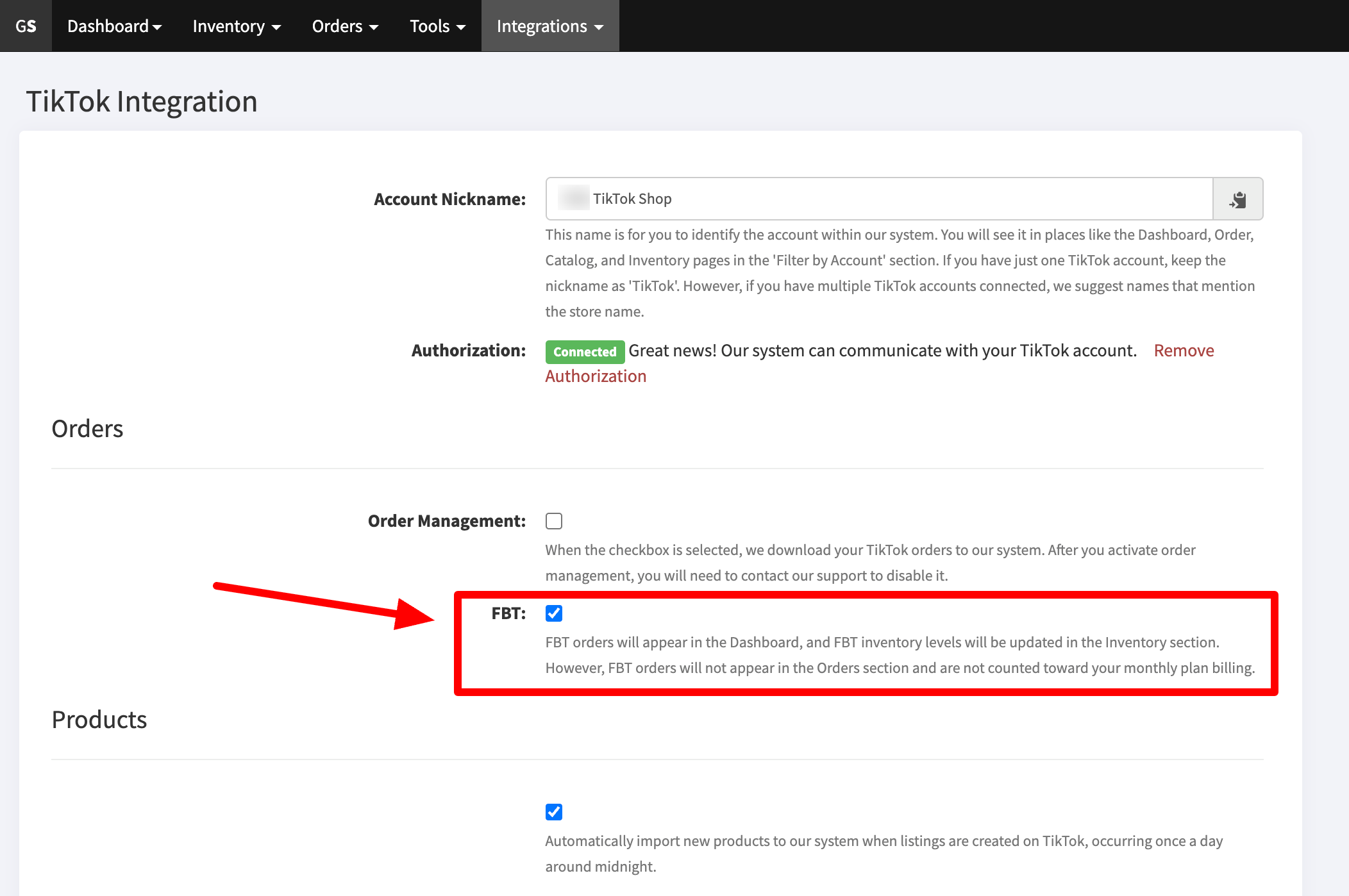
- This allows you to send orders from any connected sales channel to TikTok FBT, as long as the SKUs match.Go to the Orders section, select an order, and from the Fulfill With dropdown, select TikTok FBT.
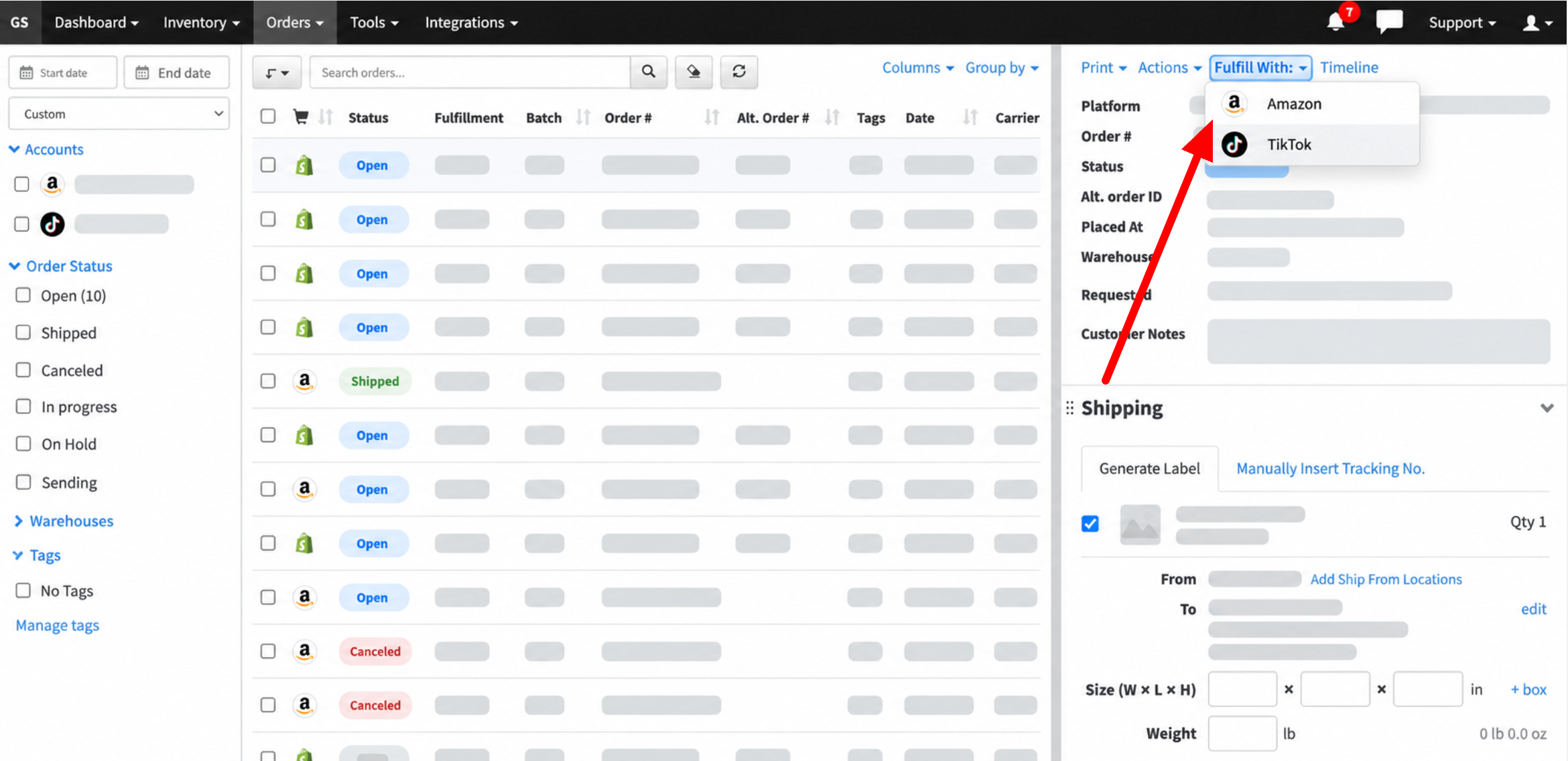 If you need to map SKUs, go to the Inventory section and click a SKU to configure the mapping. For bulk SKU mapping, you can use a CSV file. We recommend contacting GeekSeller Support if you need help with this process.Once the order is submitted to TikTok, GeekSeller will retrieve the tracking number when it becomes available and send it back to the sales channel where the order originated.
 - Please note that the process above does not automatically send orders to TikTok FBT. See the section below to learn how to automate order fulfillment using TikTok FBT MCF.
Automate order fulfillment using TikTok FBT MCF
- You need to have the FBT option selected in the Integrations section, as described in the steps above.
- The channel you want to fulfill using FBT must receive your FBT inventory quantities. This is a critical step. Go to Inventory > Manage Warehouses and make sure the FBT quantities are flowing to the channel.
For example, if you want to fulfill Shopify orders using FBT, create a Shopify location called, for example, FBT. Then configure the inventory flow as shown below. GeekSeller’s FBT warehouse should receive the FBT inventory and be connected to your Shopify FBT location.This setup works as follows: Shopify orders assigned to the FBT location will automatically be fulfilled by TikTok FBT.
- Once the inventory quantity flow is set up, go to Orders > TikTok FBT MCF and activate fulfillment. After you select Enable, as shown below, all Shopify orders assigned to the FBT warehouse will automatically be sent to TikTok for fulfillment.

- If you want to exclude certain orders from being sent to TikTok, create an automation rule that assigns those orders to a different warehouse instead of FBT. Please contact our Support team for assistance with setting this up.
FBT MCF Order Statuses and Tracking Flow
FBT MCF orders can have the following statuses:
- PENDING: The order is waiting for warehouse processing.
- HANDLE_BY_WAREHOUSE: The order is being processed by the warehouse. At this stage, GeekSeller receives the tracking number from TikTok. GeekSeller then creates the shipment and sends the tracking information to the sales channel where the order originated.
- SHIPPED: The order has been shipped from the warehouse.
- HANDOVER: The order has been received by the carrier and is in transit.
- CLOSED: The order has been closed.
- LOST: The order has been marked as lost.
- DAMAGE: The order has been marked as damaged.
- COMPLETED: The order has been completed.
- ABNORMAL: There is an issue with the order and it cannot be fulfilled normally.