
By default, shipping carriers usually allow only a short Reference value with a limited number of characters. GeekSeller also lets you use these standard reference fields. The Shipping Label Customization feature goes much further. It allows you to print your own text, order details, SKUs, quantities, product titles, and other available information on top of the shipping label, anywhere you want. You do this by adding Content blocks and placing them in the desired area of the label.
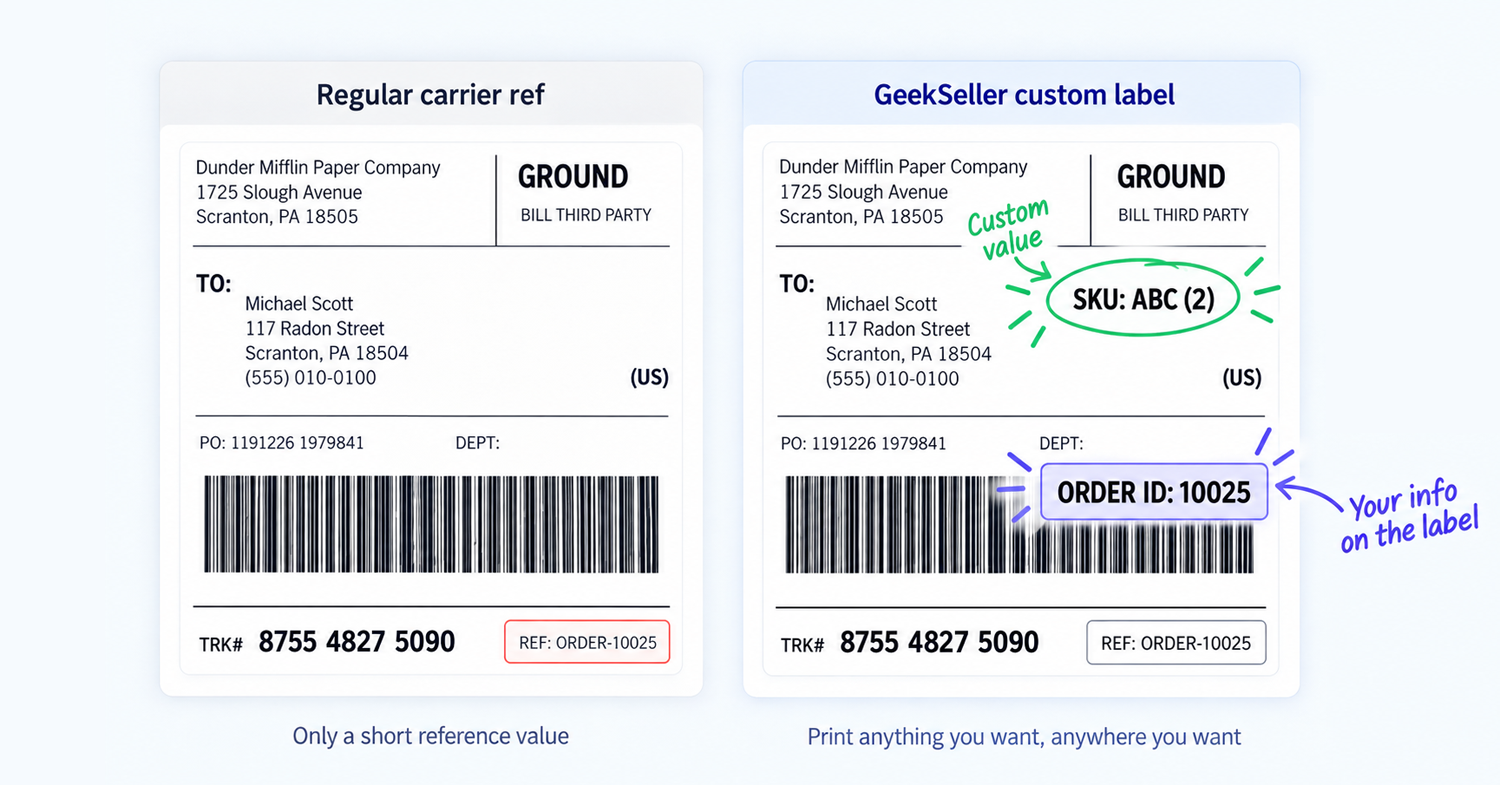
Go to Tools > Shipping Label Customization and create a template.
You can:
- Select which platforms use the template
- Customize FedEx, UPS, and USPS labels separately
- Add text or variables such as SKU, quantity, or product title
- Move each content block to the desired place on the label
- Preview the PDF before saving
Multi-box orders
For multi-box shipments, GeekSeller automatically shows the correct product information on each label.
Example:
An order contains:
- Qty: 2, SKU: Alone-1 (each shipped separately)
- Qty: 2, SKU: Normal-1
- Qty: 3, SKU: Normal-2
GeekSeller creates:
- Label 1: Alone-1
- Label 2: Alone-1
- Label 3: Normal-1 × 2 and Normal-2 × 3
So if you add SKU and quantity to the label, each label will show only the items assigned to that box.