
Integrating Etsy with Amazon FBA/MCF through GeekSeller helps sellers automate multi-channel order fulfillment, synchronize inventory in real time, and streamline eCommerce operations from one centralized platform. By connecting your Etsy store to Amazon Multi-Channel Fulfillment (MCF), Etsy orders are automatically routed to Amazon FBA for picking, packing, and shipping, while tracking information is synced back to Etsy.
This integration reduces manual work, minimizes the risk of overselling, improves shipping speed, and enables businesses to scale efficiently using Amazon’s fulfillment network.
To connect Etsy with Amazon FBA/MCF via GeekSeller, simply create a GeekSeller account, connect your Amazon Seller Central and Etsy accounts, configure your Amazon FBA warehouses, enable MCF settings, map your Etsy SKUs to your Amazon inventory.
The easiest way to get started is to schedule an onboarding call with the GeekSeller team. They can help you set up the integration quickly and ensure everything is configured properly for your business needs.
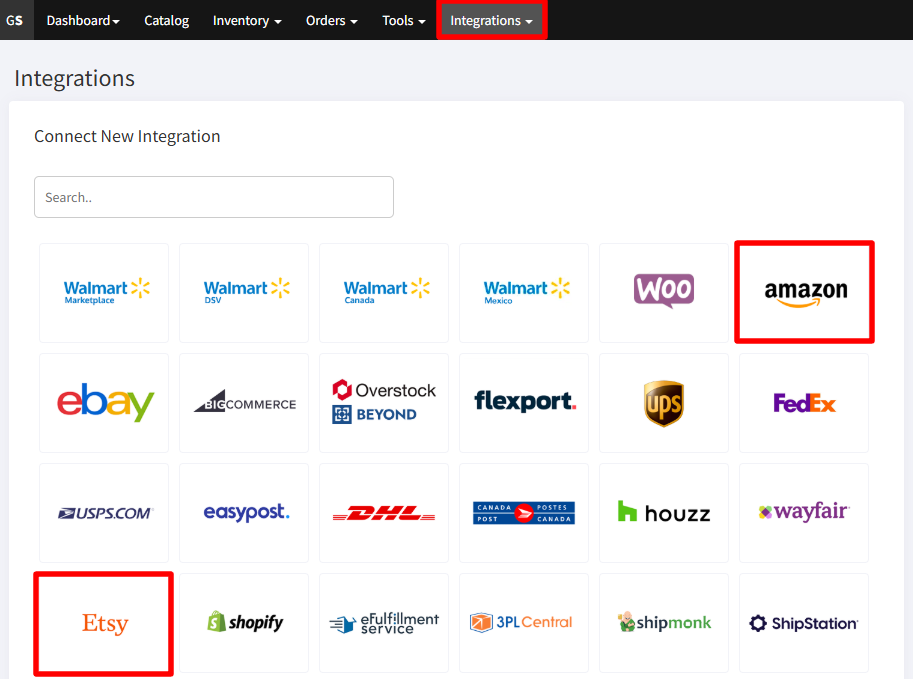
- Go to the Integrations page to connect your Etsy and Amazon.
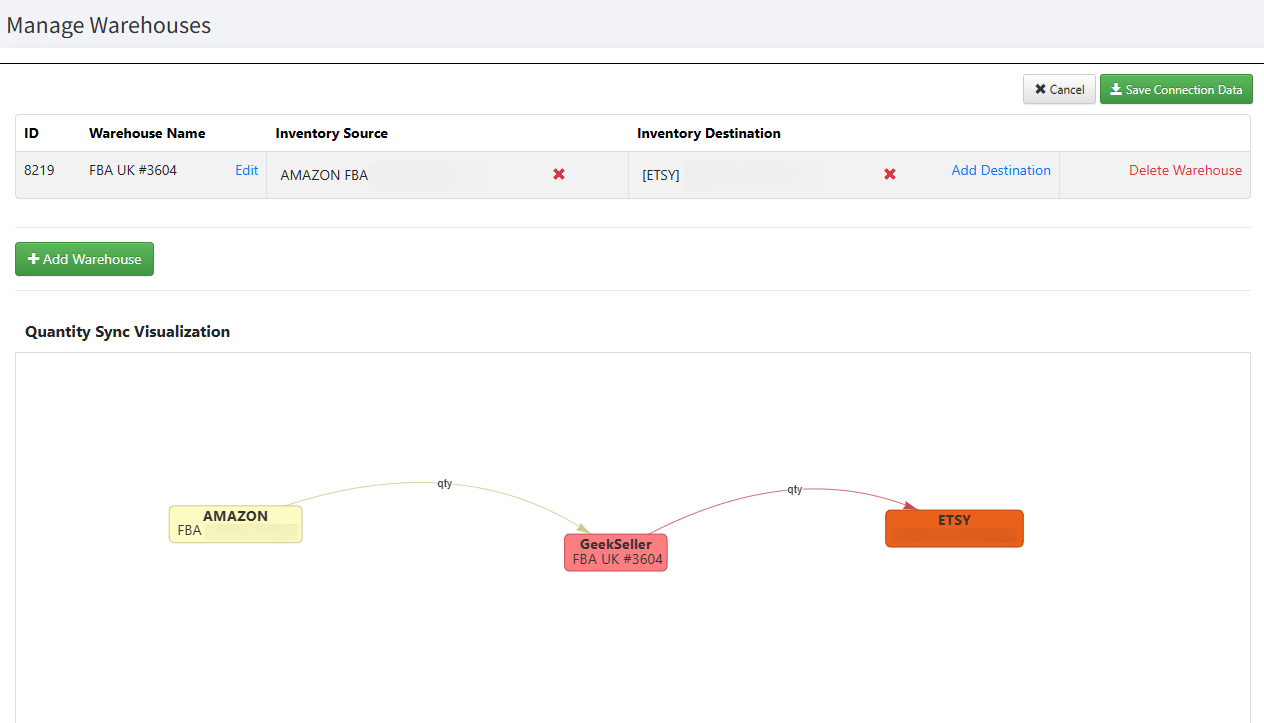
- Connect Amazon FBA warehouse to Etsy, so GeekSeller can send your FBA inventory levels (Inventory > Manage Warehouses).
- Before this step, make sure you have the matching SKUs on both platforms. If needed, go to the Inventory sections to map SKUs.
- Select Amazon FBA as Inventory Source and your Etsy account as Inventory Destination
- Click ‘Save Connection Data’.
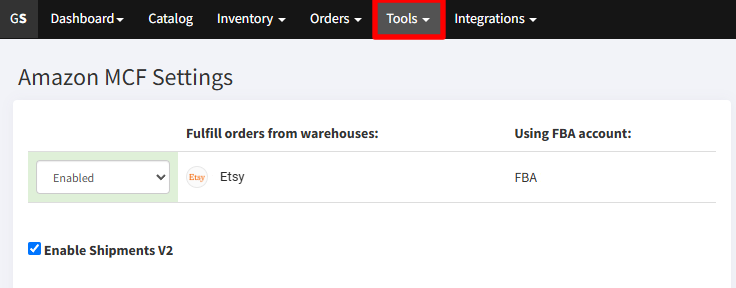
- Go to Tools > Amazon MCF and enable fulfillment of Etsy orders via MCF. Make sure you have the exclusion of Amazon Logistics enabled. No need to worry about the blank box, as this is now the default for all MCF orders.
- If you want to fulfill only some orders using MCF, use our automation rules (Tools > Automation Rules).