
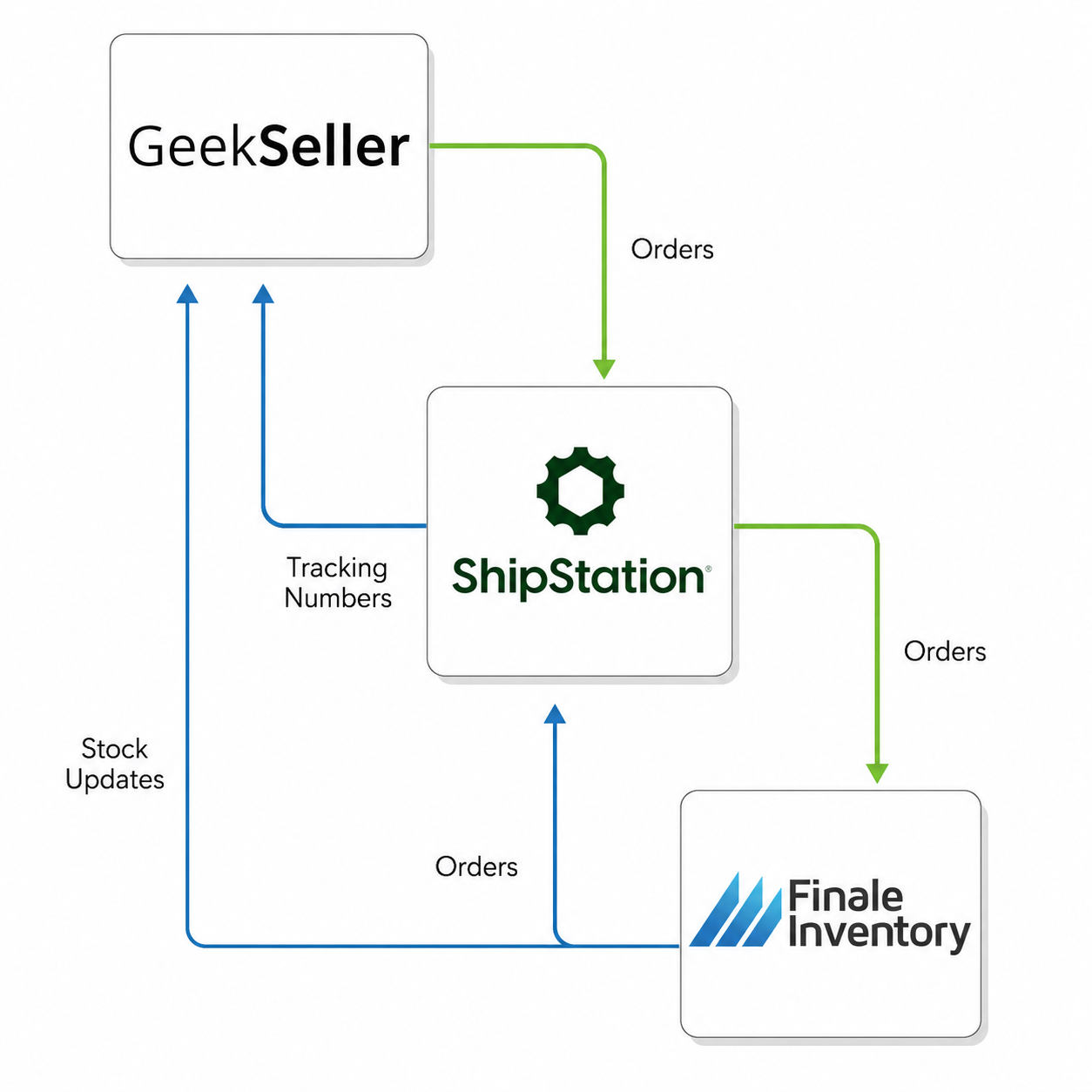
 GeekSeller and Finale Inventory connect via FTP for file exchange and via ShipStation.
- Finale automatically exports your inventory feed to GeekSeller on a schedule, and GeekSeller imports the file to update inventory quantities.
- Orders flow between the two systems via ShipStation.
See details below.
(1) Setting Up Inventory Synchronization
Request FTPCredentials from GeekSeller
Before configuring the integration in Finale, contact the GeekSeller support team and request your FTP credentials for the Finale Inventory integration.
Set Up the FTP Connection in Finale
- In Finale, go to Integrations.
- Scroll to the bottom of the page and click Add New Integration.
- Select FTP Server Integration.
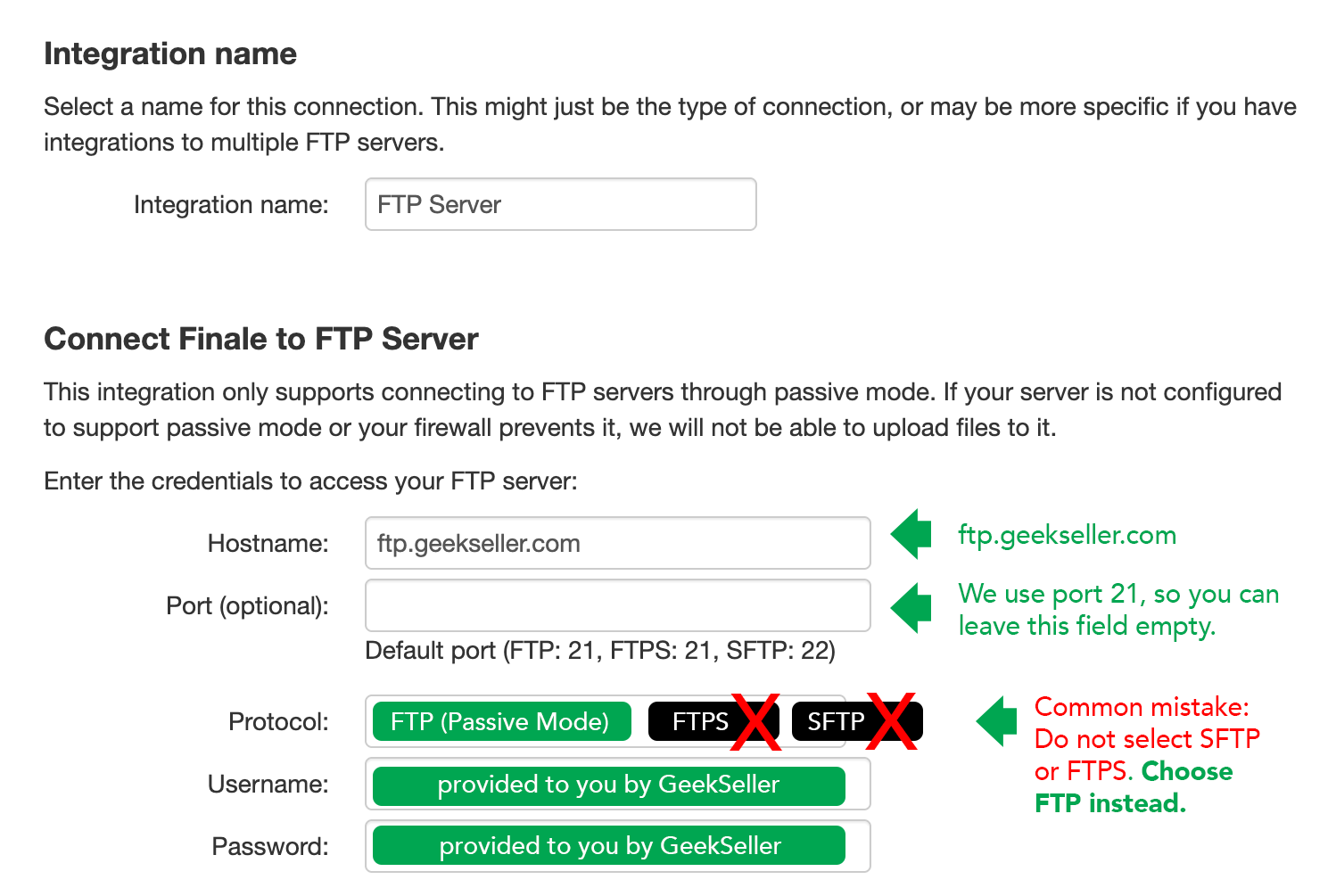
- Enter the FTP credentials provided by GeekSeller.
Protocol: FTP (Passive Mode)
Server: ftp.geekseller.com
Port: 21
Username and Password: provided to you by GeekSeller - Test the connection and save it.
Schedule Inventory Updates
After the connection is created:
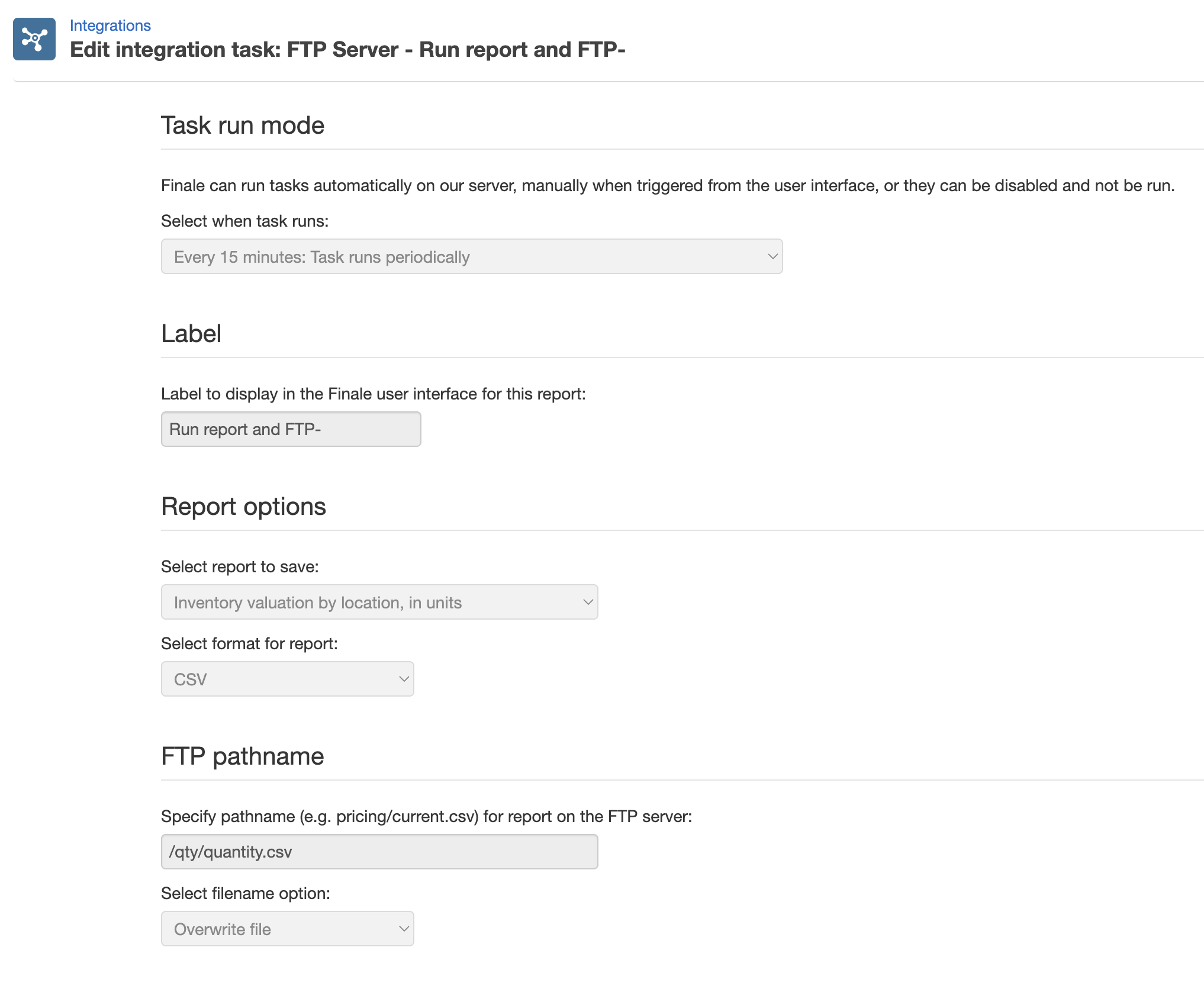
- Create a Report Task in Finale.
- Configure the report to export your inventory data.
- Schedule the report to be sent to GeekSeller via FTP.
Make sure this is the configuration you have:
Final Step
Once your Finale connection is configured, contact the GeekSeller support team to complete the integration on the GeekSeller side.
Resources
For detailed instructions on creating an FTP integration and scheduling report exports in Finale, please refer to the Finale Knowledge Base.
(2) Setting Up Order Synchronization
Finale receives orders from GeekSeller through ShipStation, so you will need a ShipStation account to allow Finale to access your orders.
- Create a new GeekSeller store in ShipStation dedicated to your Finale integration. Then connect your ShipStation account to GeekSeller and work with our support team to configure the sending of orders to this new ShipStation store.
- Next, contact Finale support for instructions on granting Finale access to your ShipStation account.
Once orders are fulfilled in ShipStation, the tracking information will be automatically sent back to GeekSeller, and GeekSeller will then submit the tracking updates to your connected marketplaces.