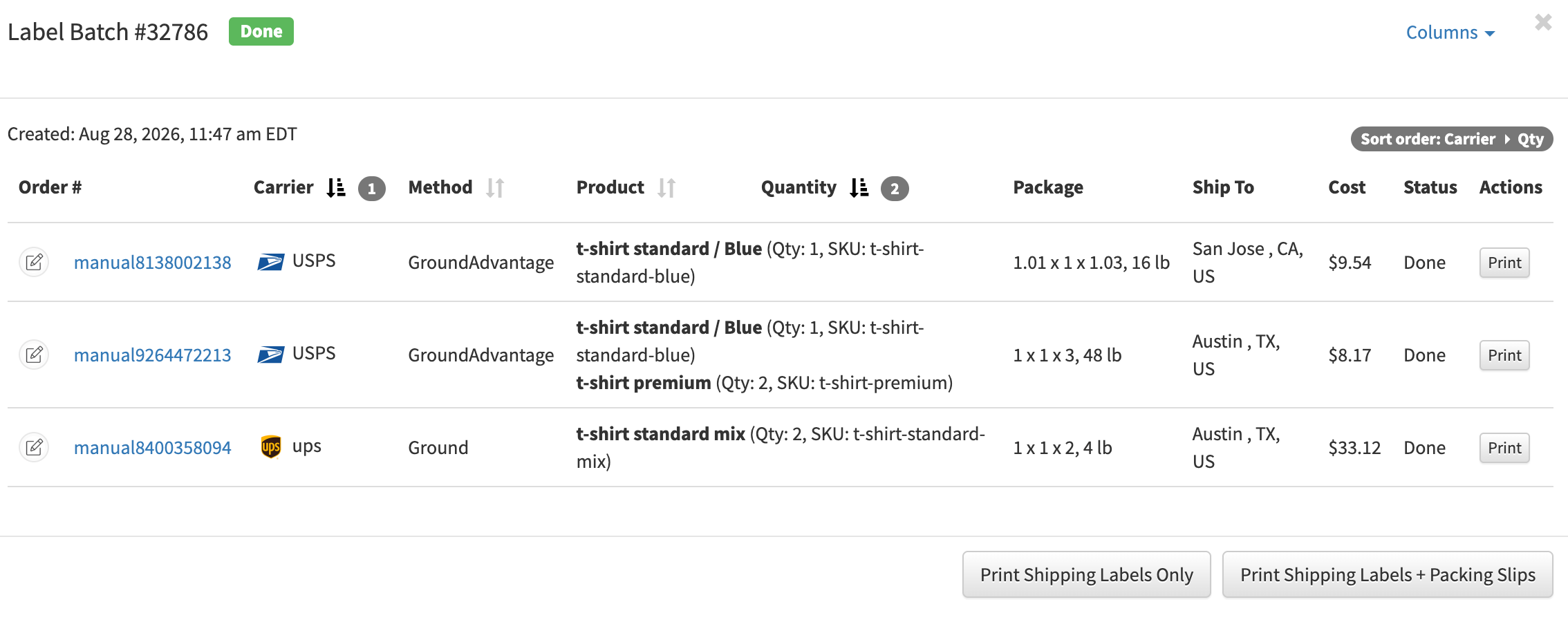
You can control the order of shipping labels and packing slips by sorting orders directly inside a batch.
To do this:
- Open the batch.
- Click a column header to sort by that column.
- You can sort by multiple columns. The numbers next to the selected columns show the sorting priority.
- To remove sorting from a column, click its header multiple times until the number is removed.
- Your sorting selection is automatically remembered for future batches.
The current sorting order is also displayed in the top-right corner of the batch.
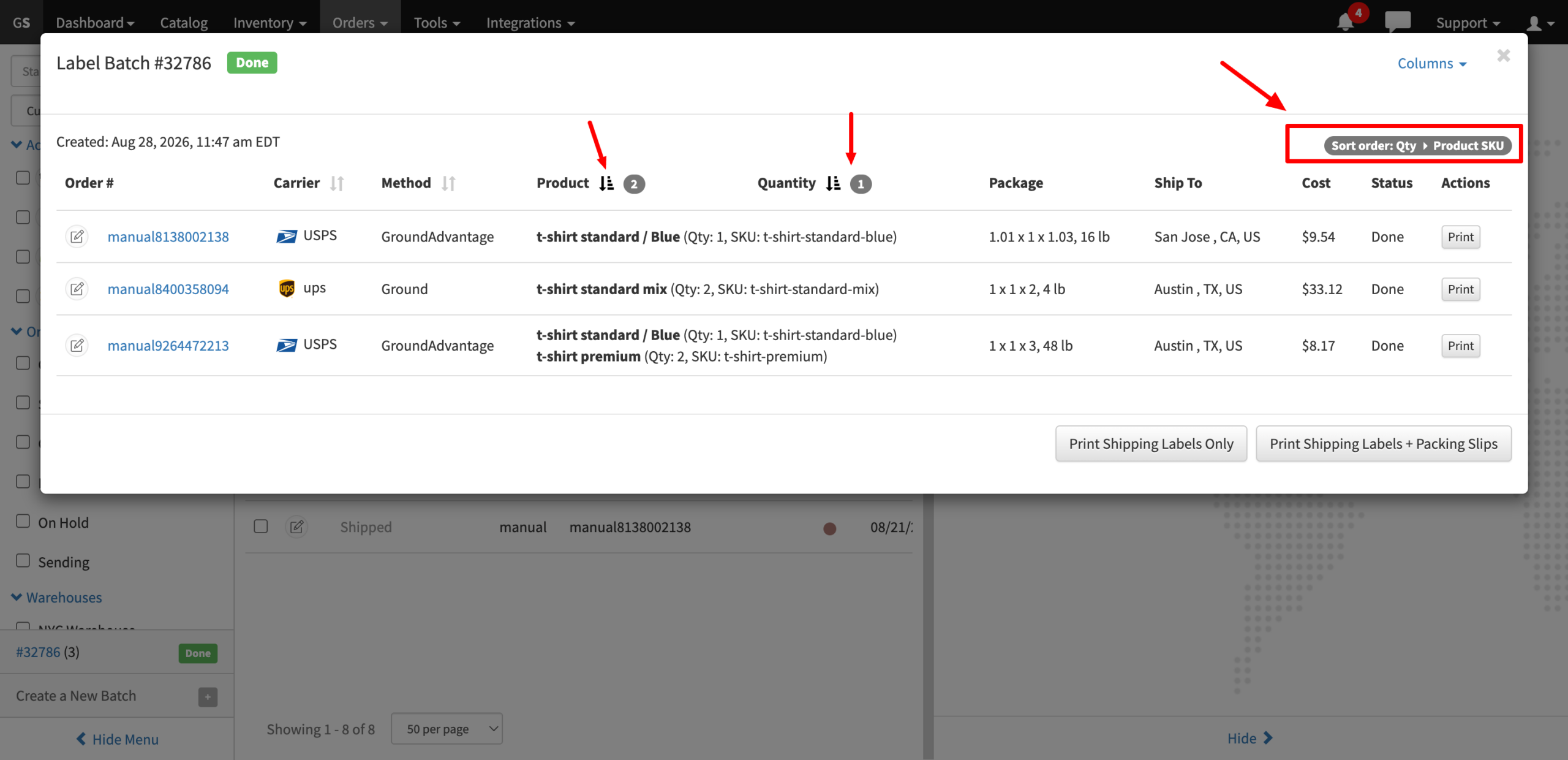
Example
For example, you can set the batch to sort first by Carrier and then by Quantity. As you change the sorting, the table of labels automatically reloads to reflect the selected order.
Shipping labels and packing slips will then be generated in the same order, making printed documents easier to organize for picking and packing.