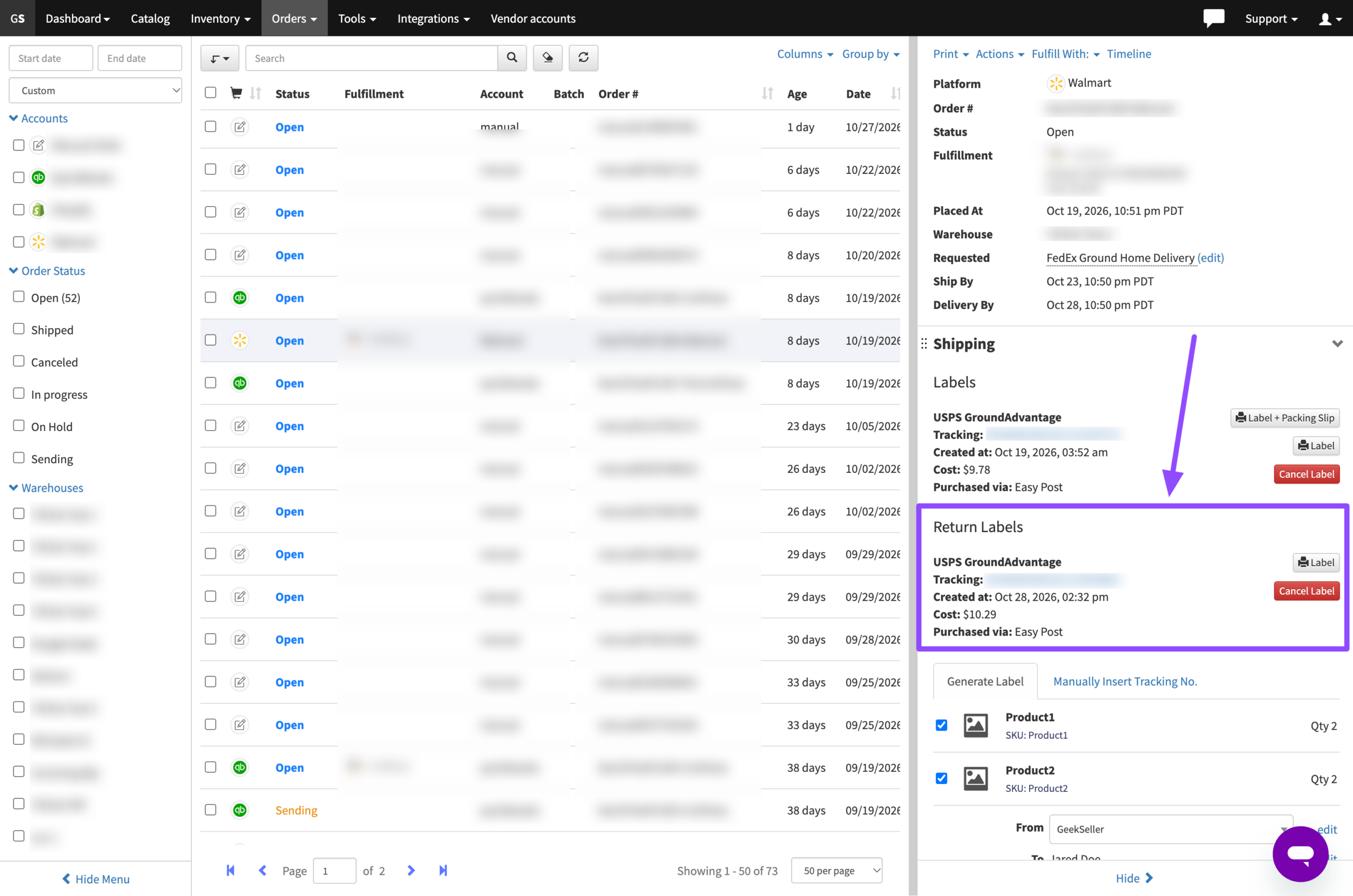
GeekSeller allows you to create return shipping labels for your orders. You can print these labels or send them to customers for product returns.
Creating a Return Label
- Go to the Orders section.
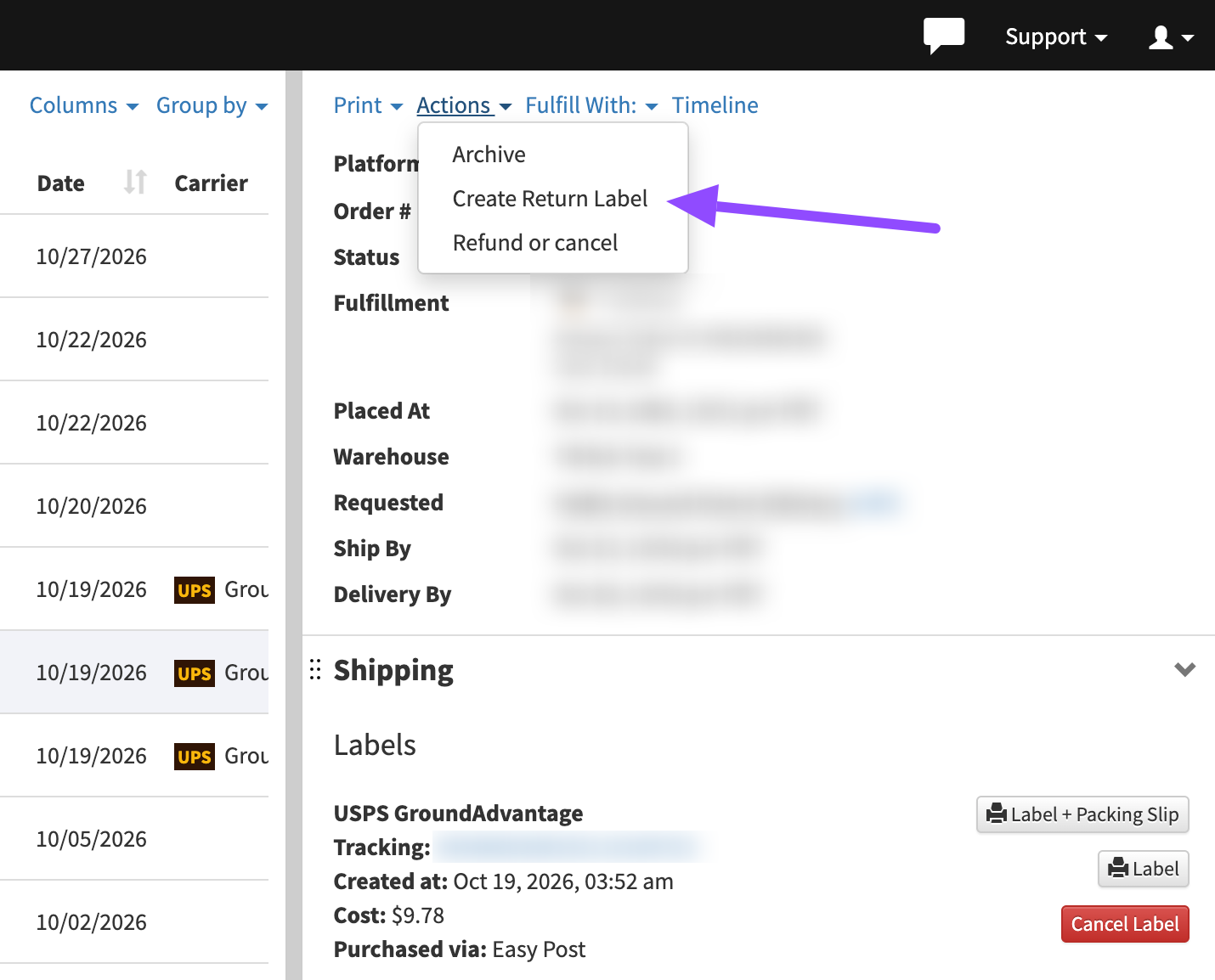
- Select the order you want to create a return label for.
- From the Actions menu, select Create Return Label.
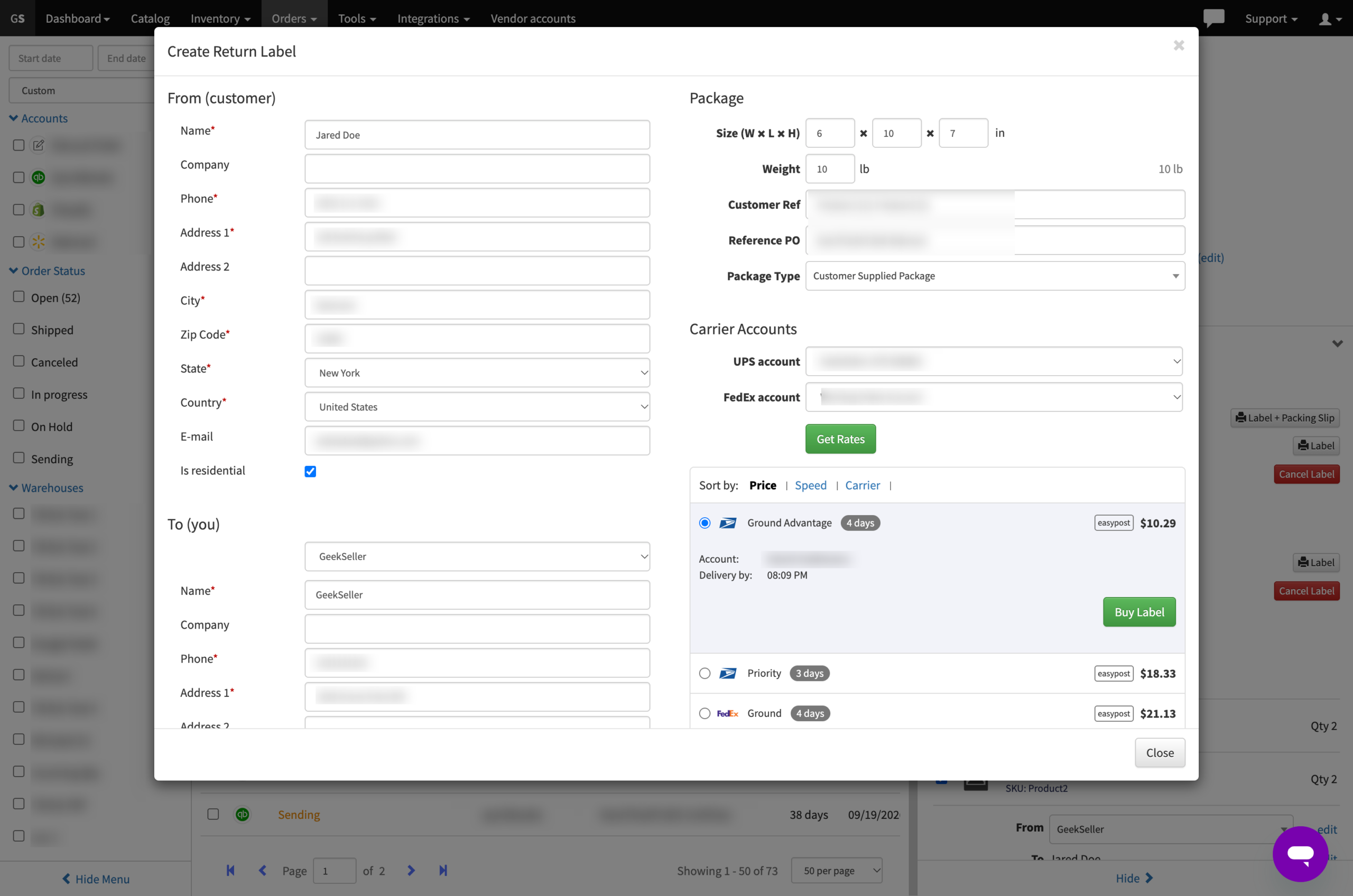
- GeekSeller automatically fills in the addresses:
- FROM: The customer’s shipping address.
- TO: Your original shipping location.
Important Information
GeekSeller does not automatically send return labels to customers. You must download and share the label yourself.
Where to Find Return Labels
You can access and download previously created return labels anytime from the Return Labels section, located next to Shipping Labels in the right sidebar.