
If you want to use Amazon MCF to fulfill TikTok Shop orders but do not see the MCF option when creating your TikTok warehouse, follow the steps below.
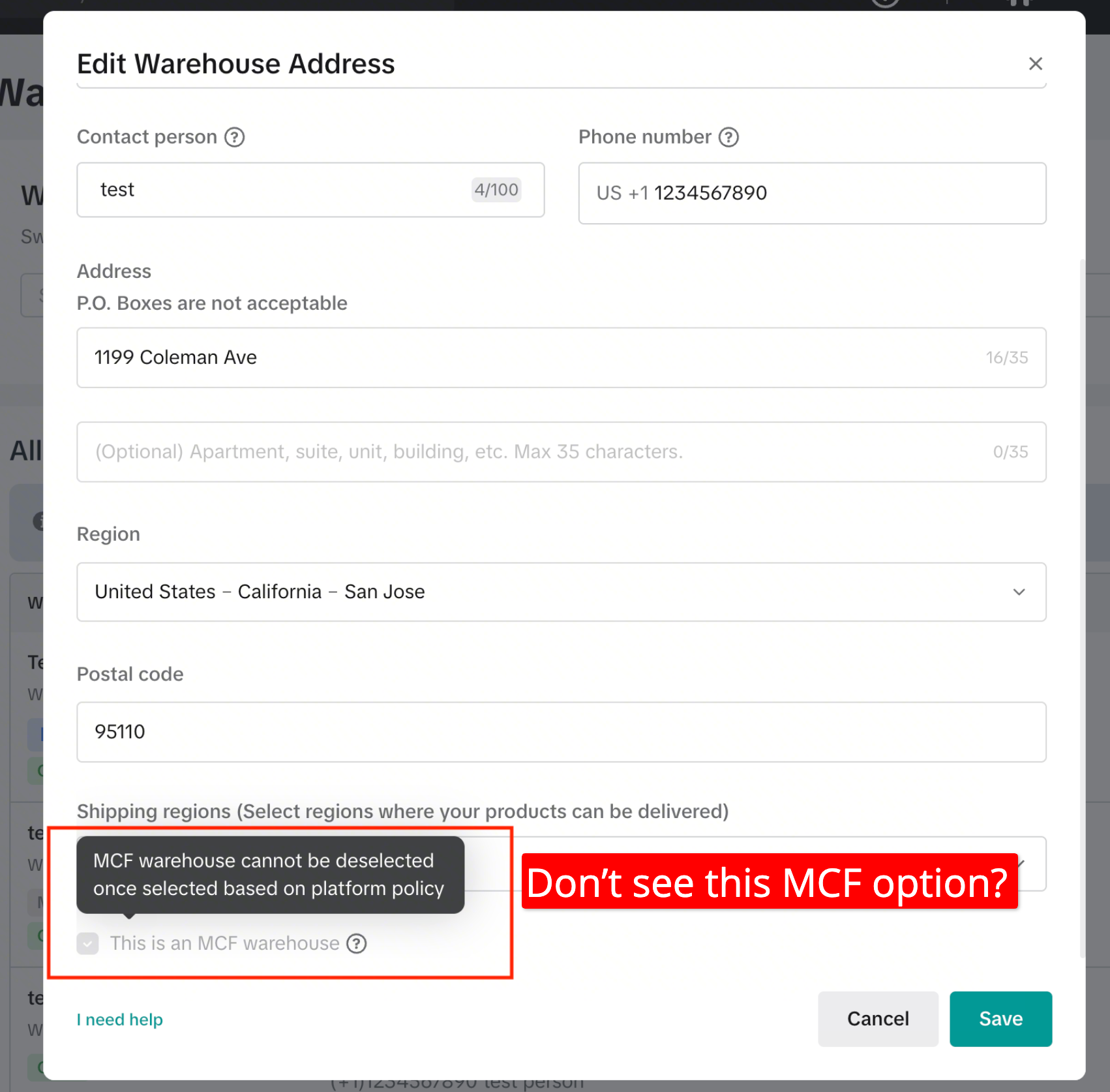
Temporary Setup
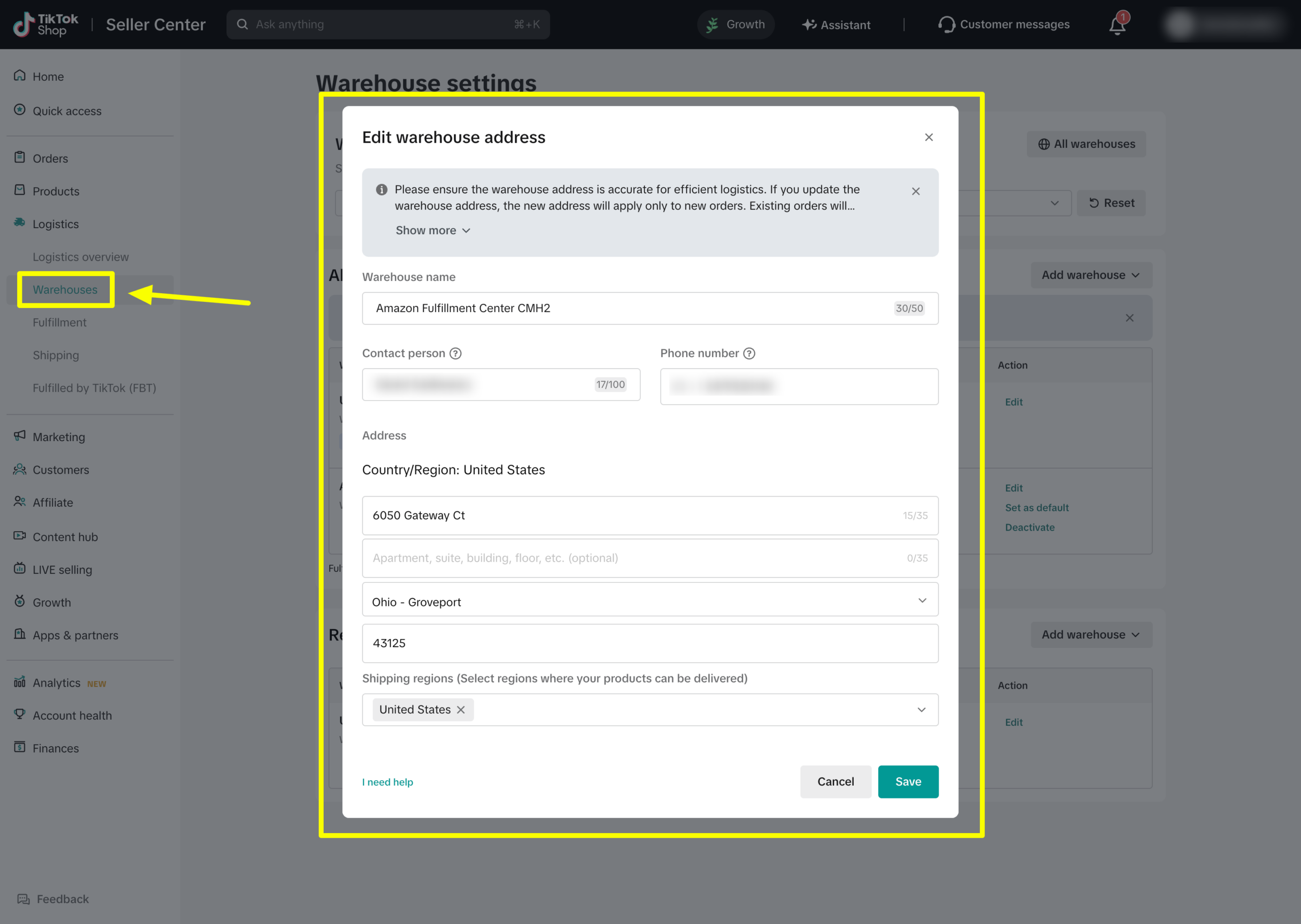
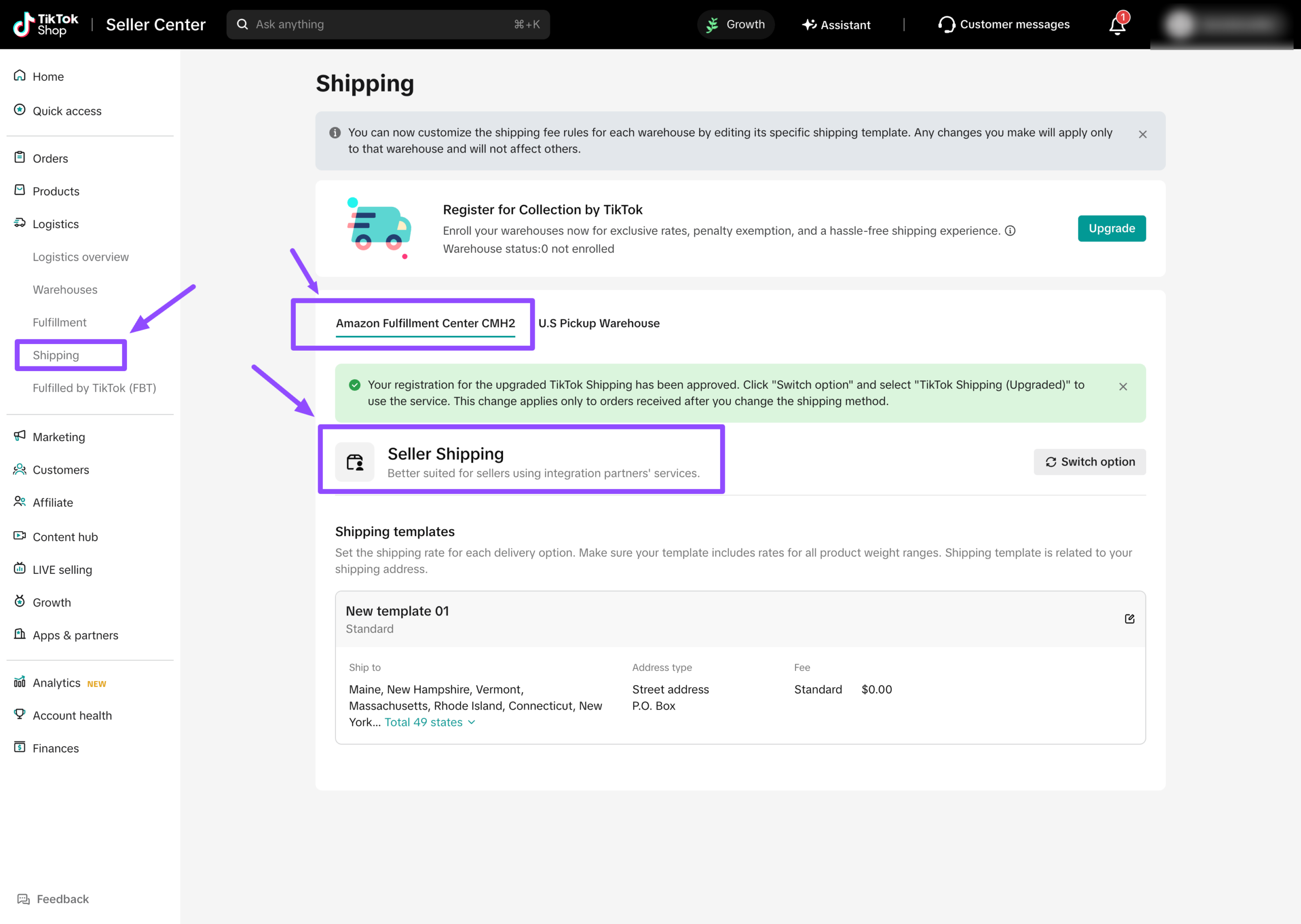
To start fulfilling orders immediately, create a regular TikTok warehouse and select Seller Shipping.
It is very important to select Seller Shipping.
If you select TikTok Shipping, GeekSeller will not receive access to the customer’s shipping address. The shipping address is required to create the fulfillment order in Amazon MCF.
Request Amazon MCF Access from TikTok
Contact your TikTok account manager and ask them to enable Amazon MCF as an approved fulfillment method for your TikTok Shop account.
If they do not have an account manager, they should open a TikTok Shop support case and request MCF access there.
Once TikTok enables this option, you will be able to create the warehouse using the Amazon MCF setup described in this guide.
Important
Until Amazon MCF is enabled for your TikTok Shop account, use a Seller Shipping warehouse if you want GeekSeller to send your TikTok orders to Amazon MCF for fulfillment.