
This setup allows you to connect TikTok Shop with Amazon FBA through GeekSeller. Orders placed on TikTok will be fulfilled by Amazon. Inventory quantities will sync automatically, and orders will be routed to FBA for fulfillment.
Step 1. Connect TikTok and Amazon in GeekSeller
- Go to the GeekSeller Integrations tab.
- Connect Amazon and TikTok to GeekSeller.
Step 2. Configure Warehouse in TikTok Shop
In TikTok Shop:
- Create a new warehouse. For example, name it Amazon FBA.
- This step is critical. You need to create a TikTok warehouse and mark it as an MCF warehouse. Without this, we will not be able to send tracking numbers to TikTok properly.
Very important: please see this guide for detailed instructions.
Please also note that if you maintain multiple warehouses, for example, if you create an additional warehouse for self-fulfilled orders, any order assigned to that non-MCF warehouse cannot be submitted to Amazon MCF for fulfillment, and we will not be able to send the tracking information back to TikTok.
For more complicated setups with multiple warehouses, please contact our support team for assistance with the configuration.
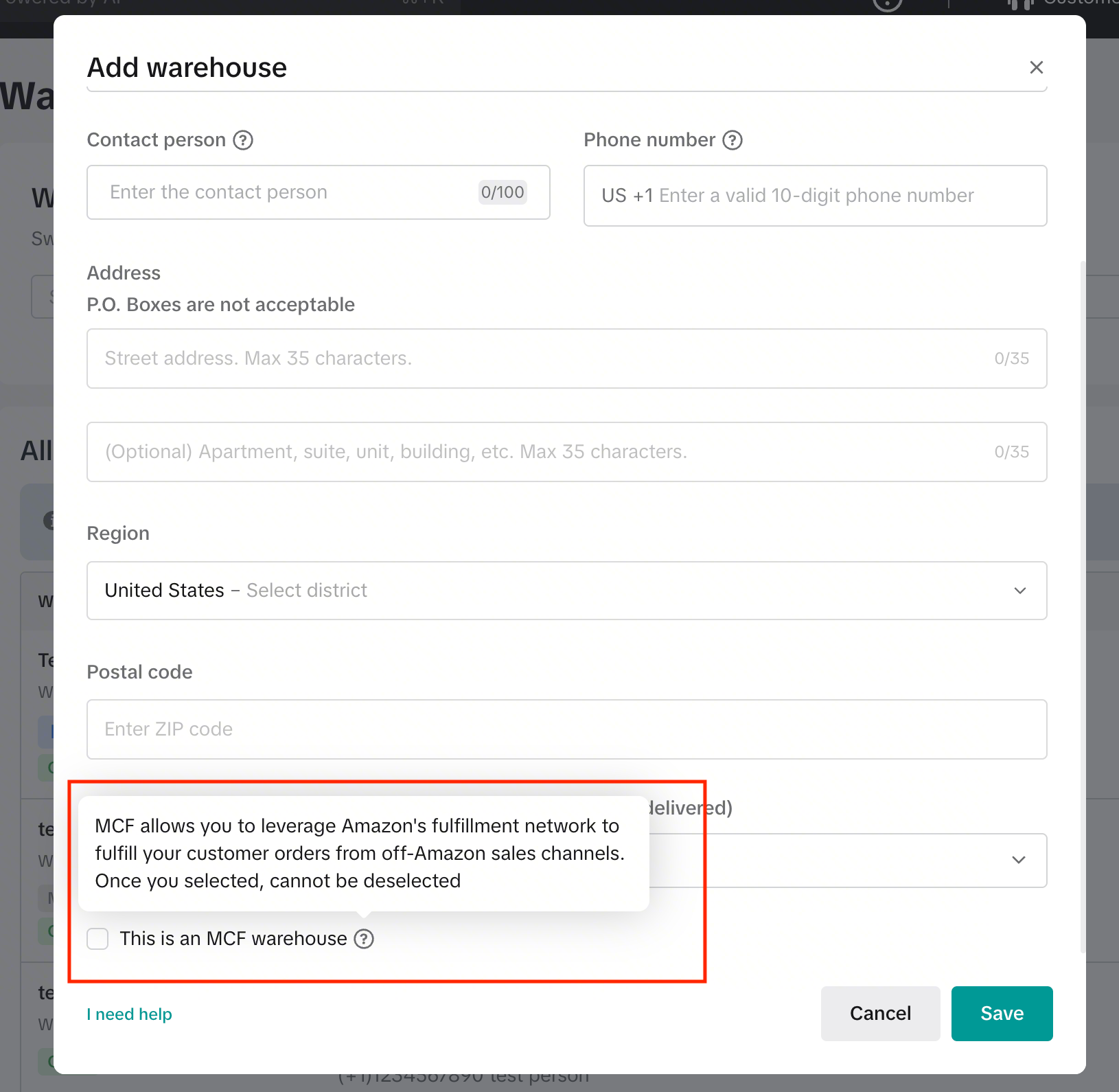
What to Do If You Don’t See the Amazon MCF Option in TikTok Shop – see this guide.
Step 3. Connect Warehouses in GeekSeller
Now connect everything inside GeekSeller:
- Go to the Inventory tab > Manage Warehouses.
- Your FBA warehouse should be automatically created during the Amazon connection. However, if you do not see it, you can create it manually.
- Connect this GeekSeller warehouse to Amazon FBA.
- Map your TikTok warehouse to this GeekSeller warehouse. Click on Save Connection Data.As shown below, the yellow Amazon box represents Amazon’s data. As you can see, the quantity flows to the red box, which represents the existing virtual warehouse in GeekSeller called Amazon FBA. The quantity is then sent to the blue box, which represents the TikTok warehouse that you created.
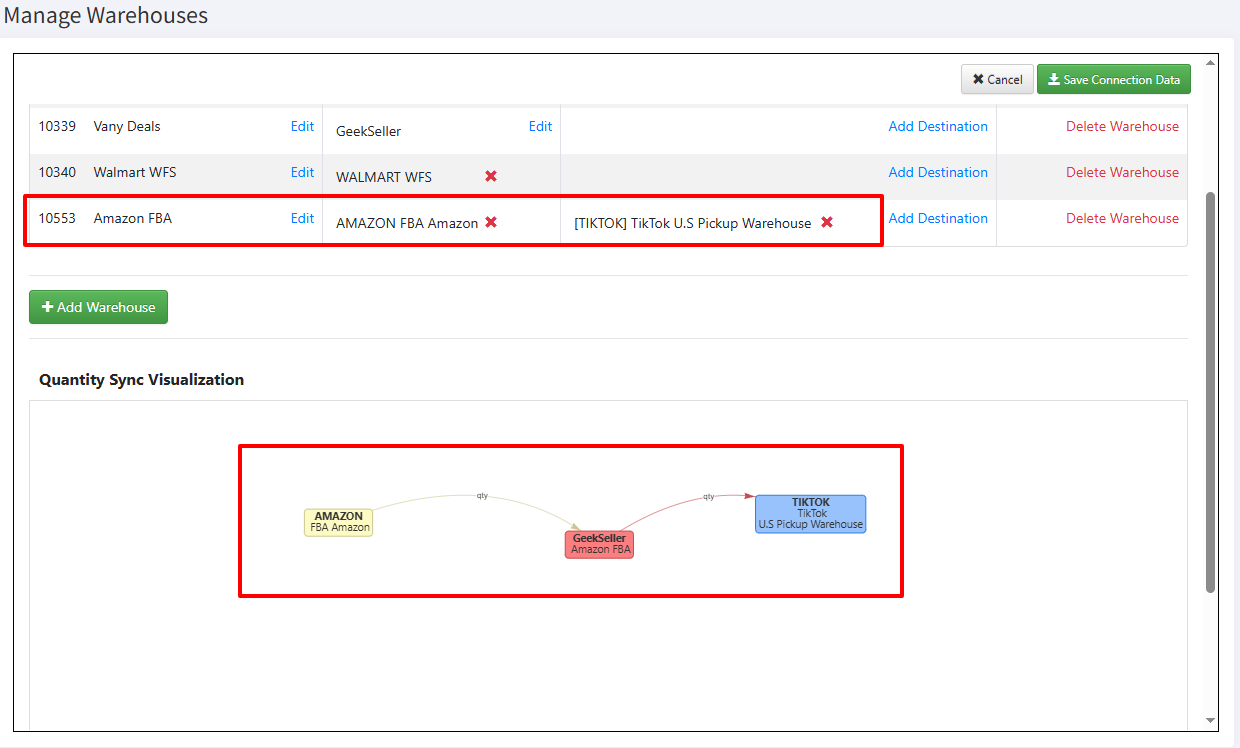
Once this is done, GeekSeller will begin synchronizing MCF quantities with TikTok.
Important: If you have more than one MCF sales channel that you would like to connect to TikTok, please contact our support team.
Step 4. Activate TikTok Orders in Amazon MCF
- Go to GeekSeller > Tools > Amazon MCF.
- Enable TikTok orders for fulfillment.
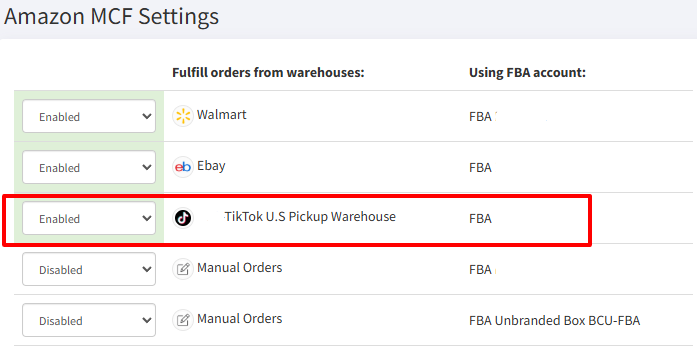
After completing these steps, TikTok orders will automatically flow through GeekSeller and be fulfilled by Amazon FBA, with inventory and tracking properly synchronized.
Are your SKUs the same on TikTok and Amazon?
This is a common issue that prevents the automation from working. You need to make sure your TikTok products have the same SKUs as they do on Amazon. The easiest solution is to simply update the SKUs on TikTok. However, if that’s not possible, you can map them in GeekSeller. Please see this post and follow Scenario 3. We also recommend contacting our support team so we can work through the setup with you together.