
If you don’t already have a TikTok Shop account, visit seller.tiktok.com and create one. Follow the steps to register your business and complete the verification process.
Currently, the GeekSeller TikTok Shop integration supports inventory and order management only. Product creation is not available yet but will be added in the near future.
We also support Seller Shipping, FBT and TikTok Shipping, so you can :
-
Insert the tracking number manually via GeekSeller or print the labels provided by TikTok Shipping.
-
Use Walmart WFS or Amazon FBA for automatic fulfillment (this is the most popular option among our users).
- You can also use FBT inventory to fulfill other channels by utilizing the FBT MCF feature.
Step 1: Connect Your TikTok Shop to GeekSeller
-
Log in to your GeekSeller account and go to the Integrations section.
-
Find TikTok Shop.
-
Click Authorize and follow the steps.
Step 2: TikTok Shop Order Fulfillment
In this step, select how you want to fulfill orders for each warehouse.
First, create your warehouse, then configure the shipping methods associated with that warehouse. In the Fulfillment section, select how you want to fulfill orders for the specific warehouse.
- Choose TikTok Shipping if you want to use shipping labels provided by TikTok.
- Choose Seller Shipping if you want to use your own shipping carriers. Please note that with Seller Shipping, you cannot use USPS, as TikTok only allows USPS when using the TikTok Shipping option.
- If you plan to fulfill your TikTok Shop orders through Amazon MCF or Walmart, please use the guides below for setup instructions:
Step 3: Ensure You Have Proper SKUs
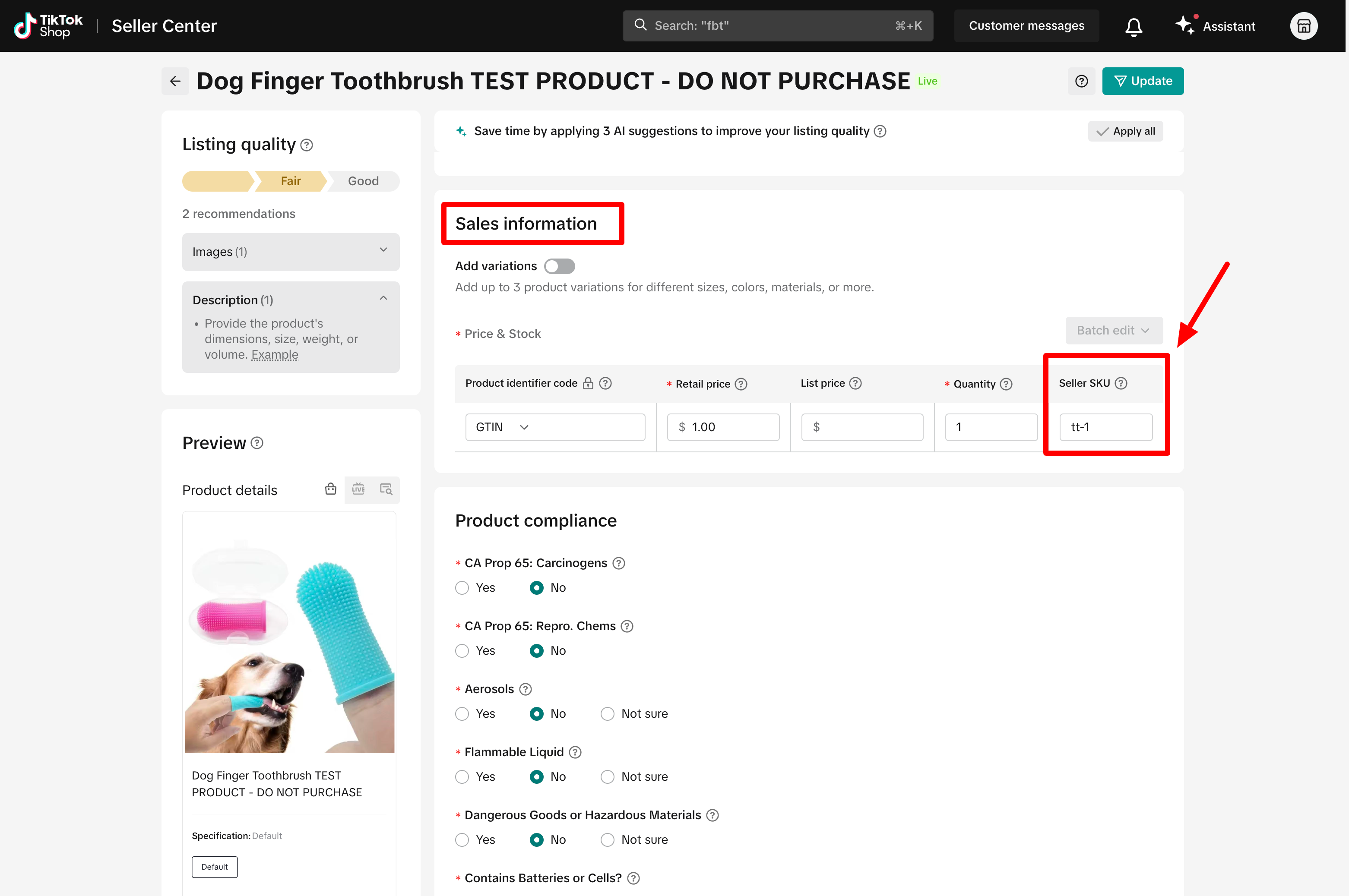
Go to your TikTok Shop Seller Center > Manage Products. Edit your TikTok listings, go to the Sales Information section, and make sure the SKU field has a unique value.
Also, ensure these products exist in the GeekSeller > Inventory section with matching SKUs.
Order Delay
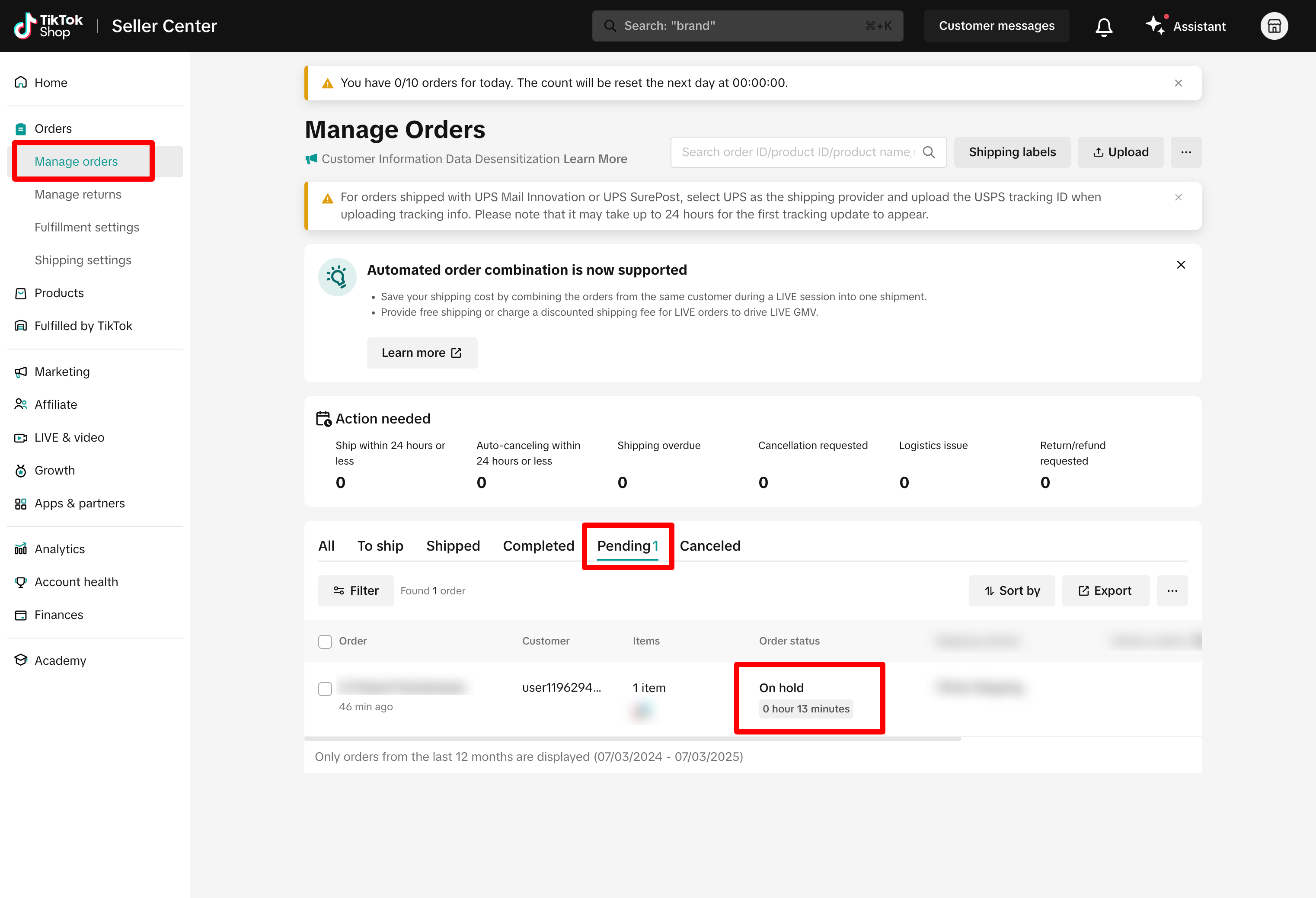
TikTok places new orders on hold for 1 hour to allow buyers to cancel and to perform a fraud check.
During this time, orders appear in the Pending section, and you cannot fulfill them. GeekSeller will not download these orders until the hold is lifted.
Order Cancellation Settings
If you automate fulfillment with Amazon or Walmart, we suggest setting up an automation rule to keep your orders on hold for 6 hours before they are released to fulfillment. This helps reduce the risk of shipping orders that customers cancel shortly after placing them. At the same time, on TikTok Shop, you should set your cancellation policy to 5 hours under Orders > Return Settings. With this setup, the cancellation window is shorter than the hold period, so canceled orders are detected before they are sent to fulfillment. See this post for full setup details, or contact our support team, and we can set it up for you.